Diablo IV: Best PC Settings for Season 15 Hell's Legacy
Dial in Diablo IV's display, upscaling and graphics settings for Season 15's Hell's Legacy update without losing frame rate to the new content.
Diablo IV's Season 15, the Season of Hell's Legacy, went live on September 15 as patch 3.2.1 (Build #73552), bringing back echoes of Diablo, Baal and Mephisto through a new Prime Evil questline, eight Soul Splinter gems, and nine permanent Legacy Uniques. None of that touches the Options menu directly, but a fresh season means a fresh shader cache, a bigger install, and a lot of players logging in on the same night — good reasons to walk through your PC settings instead of assuming last season's profile still holds up.
01What Changed on PC for Season 15
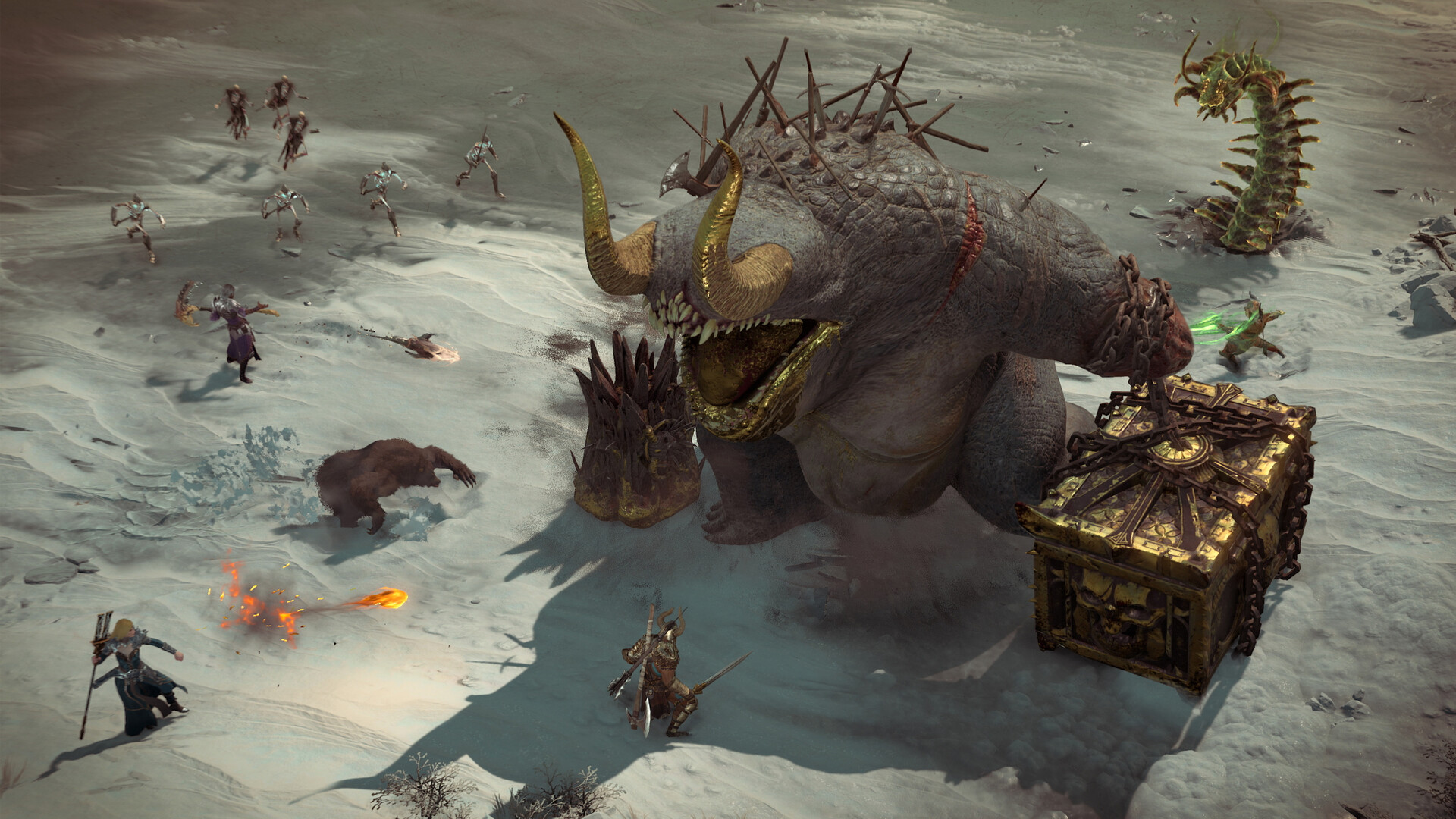
The season itself doesn't add new graphics presets or rework the settings screen. What it does add is content that stresses the engine in new ways: Waking Nightmares fill the screen with recreated boss fights and crowds of enemies, and the Prime Evil questline runs through three separate capstone-style encounters under Tristram Cathedral, Arreat Summit and the Durance of Hate. If your rig was already close to its ceiling last season, these fights are where it'll show first.
Soul Splinters add another layer worth knowing about before you dive in: you can equip up to three across your jewelry slots, each carrying its own visual effect tied to one of the Prime Evils or their lieutenants. Stack a few of these alongside a crowded Waking Nightmare encounter and you get exactly the kind of particle-heavy, multi-enemy fight that exposes a settings profile tuned for a quiet Season 14 stash run rather than Season 15's busier screens. None of the nine new Legacy Uniques change how the engine renders anything either — they're stat sticks, not new visual effects — so the performance conversation this season is really about encounter density, not new tech.
If you're still catching up on what actually shipped, a rundown of everything Hell's Legacy adds covers the new Uniques and the return of the three Prime Evils in full; this guide sticks to getting your PC ready to run it.
02Confirm Your Build and Check Server Status First
Blizzard's own patch notes confirm Season 15 launched as version 3.2.1, Build #73552. Before you touch a single slider, open the Options menu and check that number against what's installed — a partial or interrupted update is a far more common cause of crashes than any graphics setting.
Season launches also concentrate traffic, and this one was no exception. Diablo's official X account posted twice on launch day, first warning of login trouble, then confirming the season itself was delayed while the team worked through it.
We’re continuing to address issues affecting today’s launch of Season of Hell’s Legacy. As a result, Season 15 is currently delayed. We appreciate your patience while we work to resolve the issues and we’ll share updates as we have them.
— Diablo (@Diablo) — September 15, 2026 on X
If you can't get into a game on a patch day, that's very likely a server-side queue or outage rather than anything wrong with your setup. Worth remembering before you spend an hour reinstalling drivers to fix a problem that isn't local.
Once you're actually in, it's still worth updating your GPU driver to whatever build your vendor shipped around the season's launch window — both NVIDIA and AMD typically ship a "game ready" style driver alongside a major Diablo IV season, and running an older driver is one of the more common causes of texture pop-in or stutter that looks like a settings problem but isn't. Verify Windows itself isn't mid-update either; a background update competing for disk I/O during a fresh 90GB-plus install is enough to cause stutter on its own during your first few sessions.
03Display and Frame Rate: Lock These In First
Set your display mode to fullscreen (not windowed or borderless) for the lowest input latency, and match resolution to your monitor's native pixel count — scaling up from a lower render resolution is what upscaling is for, not a lower base resolution plus Windows scaling. Blizzard's own system requirements page targets 1080p at low settings and roughly 30fps on the minimum spec (Core i5-2500K or FX-8350, 8GB RAM, GTX 660 or RX 280-class card), and 1080p at medium settings and roughly 60fps on the recommended spec (Core i5-4670K or Ryzen 1300X, 16GB RAM, GTX 970 or RX 470-class card). Treat those as your baseline before pushing texture or shadow quality higher than your card's tier supports.
Frame rate cap and VSync are worth setting deliberately rather than leaving on their defaults. If your monitor supports a variable refresh rate technology, turn hardware VSync off and cap the in-game frame rate a few frames under your panel's maximum instead — it avoids both screen tearing and the extra input latency that comes from VSync forcing the GPU to wait on the display. On a standard 60Hz panel, capping at 60 is usually smoother than leaving frame rate fully uncapped, since it stops the GPU from working harder than the screen can actually show.
04Step-by-Step: Rebuilding Your Options for Hell's Legacy
Run through these in order rather than jumping straight to graphics quality — display and upscaling choices change how much headroom you have left for everything else.
Season 15 PC Setup Checklist
- 1Open the Options menu to confirm you're on patch 3.2.1, Build #73552, before changing anything else.1 min
- 2Switch to fullscreen and match your resolution to your monitor's native pixel count.1 min
- 3Cap frame rate a few frames under your refresh rate if you use variable refresh rate, or enable VSync on a fixed 60Hz panel.1 min
- 4Pick DLSS, FSR or XeSS to match your GPU and start on the Quality preset.1 min
- 5Leave reflections and contact shadows off if you're already relying on upscaling to hit your target frame rate.1 min
- 6Drop these to medium or low first since they cost the most frame rate for the least visible difference.2 min
- 7Confirm potion, mount and movement binds, then set colorblind, subtitle and camera zoom options for Waking Nightmares.2 min
05Upscaling and Ray Tracing: DLSS, FSR, XeSS and What They Cost
Diablo IV supports all three major upscalers — NVIDIA DLSS, AMD FSR and Intel XeSS — plus frame generation on supported RTX 40-series and newer cards, so there's no reason to run native resolution if your GPU is the bottleneck. Start on the Quality preset for whichever upscaler matches your card; it preserves the most detail, and you only need to step down to Balanced or Performance if frame rate still isn't where you want it.

Ray tracing adds two effects you can toggle independently: reflections and contact shadows. Because Diablo IV's camera stays locked in a top-down angle, the difference is easy to spot in cutscenes and open outdoor zones but much subtler while you're actually clearing a dungeon or a Waking Nightmare, where you'll spend most of your time this season. Expect a real frame-rate cost when either is on — if you're already leaning on upscaling to hit your target frame rate, ray tracing is the first thing worth leaving off.
Frame generation is a separate toggle from upscaling and only shows up if your card supports it. It can make a capped, GPU-bound frame rate look smoother on screen, but it doesn't reduce input latency the way a genuine higher frame rate does — inserted frames sit between real ones, not ahead of your inputs. It's most worth trying if you're already near your target frame rate and want extra smoothness for cutscenes and exploration; leave it off if you're chasing responsiveness in a Waking Nightmare fight where read-and-react timing matters.
06Graphics Quality Sliders That Actually Move the Needle
Texture quality has the biggest visual payoff for the smallest performance cost as long as you have the VRAM for it — leave it high unless you're on an older 4-6GB card. Shadow quality, screen-space ambient occlusion and fog are the sliders that cost the most frame rate for the least visible difference during normal play; medium is a reasonable default for all three, dropping to low first if you're still chasing frames. Water quality and view distance matter far less once you're underground in a Waking Nightmare or a capstone dungeon, so they're safe to trim before you touch textures.
It's also worth checking your effects and post-processing options specifically this season. Anything that scales with how much is happening on screen — status effect visuals, Soul Splinter procs, a full group's worth of enemy casts during a capstone encounter — is going to be busier in a Waking Nightmare than in most Season 14 content, and that's where a setting that was fine solo starts costing frames in a group. Motion blur is purely cosmetic and costs almost nothing either way, so treat it as a personal preference rather than a performance decision — turn it off if the extra screen clarity during fast dodges matters more to you than the cinematic look.

07Controls, Camera and Accessibility for the New Season
Diablo IV has full controller support on PC with a remappable button layout, alongside separate keyboard and mouse keybind profiles — worth checking after a big patch, since remaps occasionally reset for specific actions. If you're leaning on Soul Splinters and Legacy Uniques this season, it's a good moment to confirm your potion, mount and forced-movement binds are still where you expect them mid-fight rather than discovering it during a boss encounter.
The Accessibility menu covers colorblind modes, subtitle size and background opacity, camera shake and screen shake reduction, and options to reduce flashing effects — all useful in Waking Nightmares, which lean heavily on bright red damage effects and screen-filling boss attacks.
Camera zoom is also worth revisiting for the new encounters specifically. Waking Nightmares recreate boss fights from earlier in the series at Diablo IV's current scale, and zooming out a notch or two on the camera slider gives you more warning on incoming telegraphs than the default zoom level does. It costs a small amount of on-screen detail in exchange for reaction time, which is a fair trade against a boss you may not have fought in years.
08Watch: The Official Season 15 Gameplay Trailer
Diablo's own channel published the Season of Hell's Legacy gameplay trailer ahead of launch, showing the Prime Evil questline, Waking Nightmares and several of the new Legacy Uniques in action. It's a useful two-minute reference for what you're about to walk into once your settings are dialed in.
FAQ
Do I need to change my settings for Diablo IV Season 15?
Not necessarily — Season 15 doesn't add new graphics presets. But Waking Nightmares and Soul Splinter visual effects are busier than most Season 14 content, so it's worth rechecking sliders that were fine before.
What upscaler should I use in Diablo IV?
Use DLSS on NVIDIA RTX cards, FSR on AMD cards, and XeSS on Intel Arc cards, starting on the Quality preset before dropping to Balanced or Performance if you need more frame rate.
Is ray tracing worth turning on in Diablo IV?
It's most visible in cutscenes and open outdoor areas; the difference is much smaller inside dungeons and Waking Nightmares, where you'll spend most of Season 15. It's the first setting worth disabling if you're short on frame rate.
Why couldn't I log into Diablo IV when Season 15 launched?
Blizzard confirmed login issues and a delay to the season's start on its official X account on September 15 — it was a server-side problem, not a local settings issue.
Does Diablo IV support a controller on PC?
Yes, Diablo IV has full controller support on PC with a remappable button layout, alongside separate keyboard and mouse keybind profiles.
Official resources

Ana writes the step-by-step tutorials: settings, controls, configs and the systems games never explain properly. Every tutorial is tested on the version named at the top of the page, with the official patch notes linked so you can check what changed.