League of Legends Team Voice: How to Enable and Configure It
League of Legends Patch 26.23 adds Team Voice chat for NA and OCE — here's how to set up the keybinds, mic calibration and Honor level rules.
Patch 26.23 finally brings Team Voice to League of Legends — a push-to-talk channel that lets you hear your whole team, not just whoever you premade with. It landed in North America and Oceania shortly after the patch went live on November 18, and it changes three default keybinds you've probably used for years. Here's exactly what changed, how to set it up, and who can actually speak.
01What Team Voice Actually Adds
Team Voice expands League's existing party-only voice chat so you can talk with everyone on your team, not just the friends you queued with. It works during champion select and in-game, in every queue except Classic, and you can run it alongside Party Voice at the same time rather than choosing one or the other. Riot frames it as the biggest communication change the client has had, built on top of faster connections and better noise cancellation than the old party-voice system used.
It's also a feature that's been a long time coming. League launched without any native voice option in 2009, and the game has run on pings, typed chat and third-party apps like Discord ever since — Team Voice is the first time Riot has built team-wide voice directly into the client instead of leaving it to outside tools. That history is part of why the rollout is so cautious: a feature this disruptive to a 15-year-old communication culture is being tested region by region rather than flipped on everywhere at once.
If you're also chasing better frame pacing or driver fixes this week, it's worth keeping your GPU drivers current before a patch this size — Riot's notes don't touch rendering, but a stale driver is still the most common cause of stutter right after any client update.
02Team Voice Setup: Step-by-Step
None of this requires a toggle buried three menus deep — the keybind changes apply automatically — but a few things are worth checking the first time you queue up after patching.
Team Voice Setup Checklist
- 1Make sure you're updated to Patch 26.23 and signed in to an NA or OCE account — Team Voice is only active on those two regions at launch, with other regions planned for later patches.1 min
- 2Open your keybind settings and look at C, Z and Ctrl+Z. Patch 26.23 reassigns these to Team Voice push-to-talk, Character Info and chat history — but only if you hadn't already rebound them yourself.2 min
- 3In the client's voice options menu, talk at a normal volume while adjusting input gain until the calibration ring sits in the shaded zone and glows gold.2 min
- 4Check your Honor level in the client. You need Honor level 3 or higher to speak in Team Voice — below that, or under a voice restriction, you can still listen but not talk.1 min
- 5Decide whether you want your premade group on a private Party Voice channel, the broader Team Voice channel, or both running at once — they don't conflict with each other.1 min
- 6Preview the five Voicemod skins — Markus, Bexter, Tarys, Raghul and Jayra — in the voice options menu, and choose whether to apply one to Team Voice only or to both channels.2 min
- 7If a teammate misuses Team Voice, use the new voice communications abuse option now available in every in-client reporting menu.1 min
03Who Can Actually Use It: Regions, Queues and Honor Level
Team Voice's launch is deliberately narrow. Only North America and Oceania have it active with Patch 26.23; Riot says other regions follow in later patches, and only once moderation capacity catches up with demand there. It works in every queue except Classic, and in champion select as well as in-game.
Speaking access is gated by your Honor level. Anyone at Honor level 3 or higher can talk freely. If you're below that threshold, or you're currently serving a voice-related restriction, you can still listen to Team Voice — you just can't transmit until your Honor recovers. That's a meaningful change from party voice, where there was no Honor gate at all, so a smurf account or a recently-restricted main won't get speaking rights back instantly.
04If Team Voice Isn't Working for You
Most early problems with a new client feature come down to a handful of basics rather than anything broken server-side. Confirm you're actually on Patch 26.23 and connected to an NA or OCE server first — players elsewhere will see the feature show up in the client's voice options but it won't have anyone to connect to yet, since the rollout hasn't reached other regions. From there, check that League has microphone permission in your operating system's privacy settings, since Windows and macOS both gate app-level mic access separately from in-game volume sliders.
If you can hear teammates but they can't hear you, check two things before assuming it's broken: whether you're actually holding your push-to-talk key (C by default, unless you'd already rebound it) while you talk, and whether your Honor level has dropped below 3. The second one is easy to miss, since the client will still show you as connected to the channel — you're just in listen-only mode until your Honor recovers.
05Calibrating Your Microphone and the New Keybinds
Patch 26.23 reassigns three defaults you may have rebound years ago, so check them before your first game: Team Voice's push-to-talk is bound to C, Character Info moves to Z, and expanding your chat history moves to Ctrl+Z. If you'd already remapped any of those three keys yourself, your custom bindings are preserved — Riot only changed the defaults for players who hadn't touched them, so go check your keybind menu rather than assuming you're affected.
Microphone calibration lives in the client's voice options menu. You adjust your input gain while talking at a normal volume until a calibration ring fills into a shaded zone and glows gold — that's your sign the level is set correctly, not too quiet to be heard and not hot enough to clip. Noise suppression is on by default, which should cut most keyboard and fan noise without you touching anything, but it's worth talking for a few seconds during calibration just to confirm your line sounds clean before you're relying on it mid-draft.
06Running Team Voice and Party Voice Together
If you already duo or five-stack with friends, you don't have to give up your existing party channel to get Team Voice. Riot built the two to run simultaneously, so your premade group keeps its own private line while everyone else on the team shares the broader Team Voice channel. In practice that means you can keep calling plays with your duo privately while still hearing — and being heard by — the three solo queue teammates who'd otherwise be typing pings into all-chat.
It's a genuinely different social dynamic for solo queue specifically, where coordinating a dragon setup or a flank used to mean someone pinged furiously and hoped the jungler read it in time.
Worth noting: the two channels are kept functionally separate rather than merged into one feed, so your duo partner's callouts don't get buried under four other voices calling the same objective. If you've played games with a single unified team channel before, expect Team Voice to feel a little quieter by comparison — it's built to layer on top of how you already communicate rather than replace it outright.
07Voice Skins and Reporting Abuse
Patch 26.23 also ships five Voicemod-powered voice skins — Markus, Bexter, Tarys, Raghul and Jayra — that modify how your voice sounds coming through either channel. You can choose to apply a voice skin to Team Voice only, or to both Party and Team Voice at once, and you can preview each one before committing in the same voice options menu where you calibrate your mic.
Because a new voice channel is also a new way for toxicity to show up, Riot added a dedicated report option for voice communications abuse across every reporting menu in the client, not just a single dialog buried somewhere specific. If a teammate is using Team Voice to harass rather than coordinate, that report path is there from patch day one rather than arriving as a follow-up fix.
The voice skins themselves are a separate layer on top of moderation, not a replacement for it — they change how your voice sounds through either channel, not what you're allowed to say. If you'd rather skip them entirely, nothing requires you to pick one; your natural voice goes through Team Voice and Party Voice by default, and the skins are purely opt-in extras sitting in the same options menu as your mic calibration.
08What Else Patch 26.23 Changes
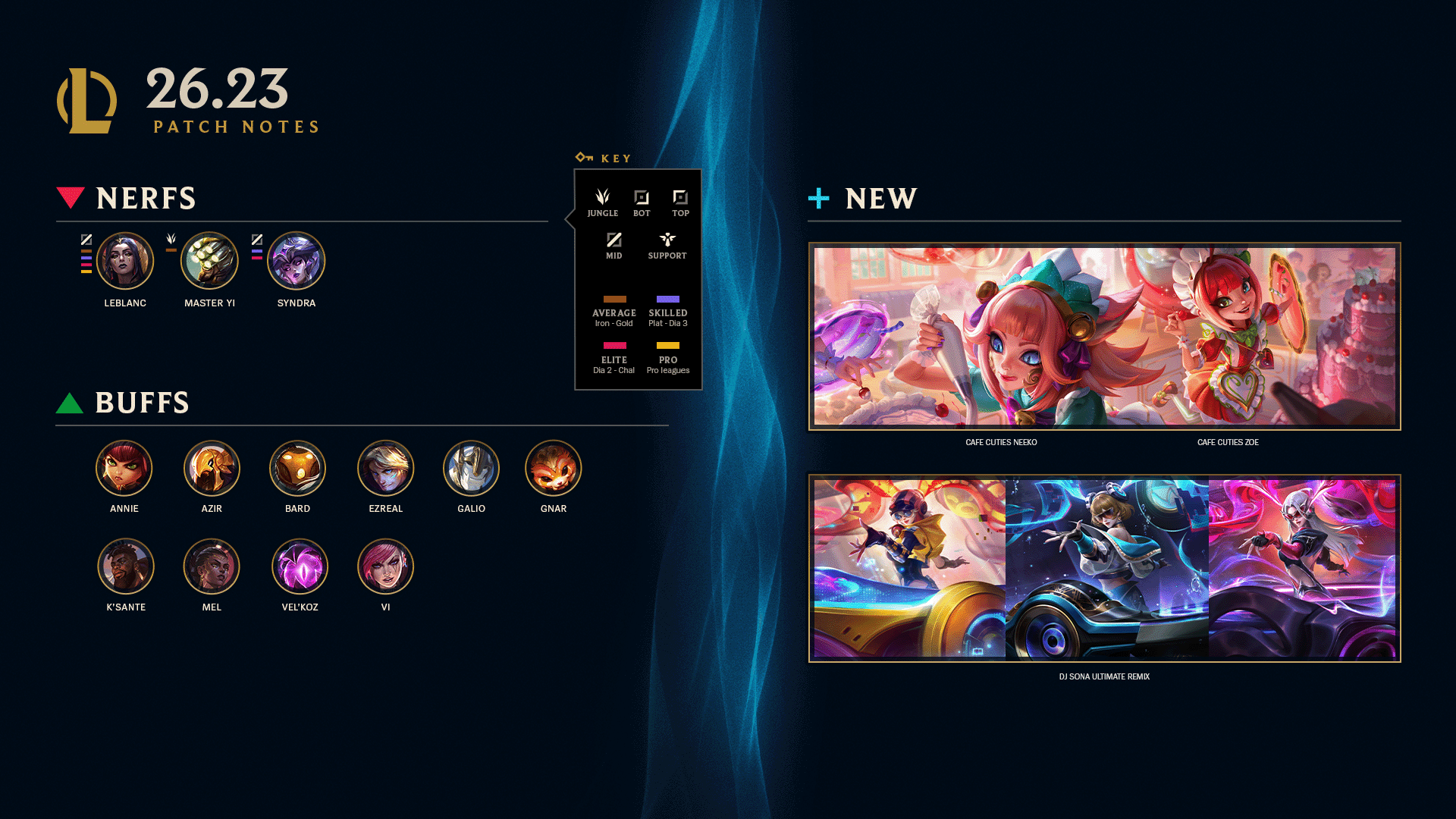
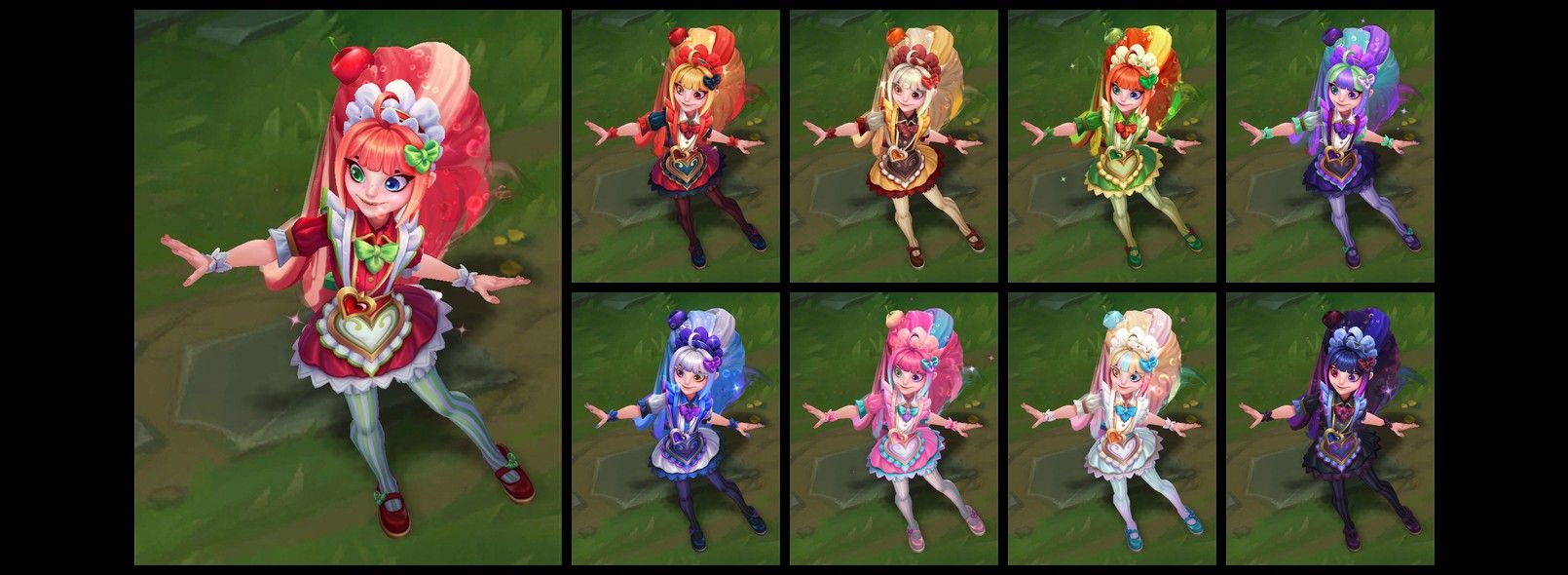
Team Voice is the headline, but it's not the only thing in 26.23. The Winter Map returns to the Rift for the seasonal stretch running into early next year, and every winter legacy skin becomes purchasable in the shop again for as long as the map is active — Riot says a fresh batch of winter-themed skins is planned for 26.24 rather than this patch. On the cosmetic side, the Cafe Cuties line adds Neeko and Zoe, and the DJ Sona Ultimate Remix set gives Sona's three forms a club-set overhaul.

Champion-wise, Master Yi, LeBlanc and Syndra all take nerfs this patch, while Annie, Azir, Bard, Ezreal, Galio, Gnar, K'Sante, Mel, Vel'Koz and Vi pick up buffs. Reporting around the patch suggests Master Yi's nerf targets his power in regular solo queue specifically, while the LeBlanc and Syndra changes are aimed more at higher-skill play — treat that framing as community analysis rather than Riot's own wording, since the official notes list the changes without explaining the reasoning behind each one.
None of that changes how Team Voice works, but if you're tuning your champion pool around voice comms for the first time, it's worth knowing the patch moved the meta underneath you at the same time. A jungler like Vi picking up a buff the same patch that adds team-wide callouts is a reasonable excuse to actually ask for a gank over voice instead of spamming a ping and hoping.
FAQ
What is Team Voice in League of Legends?
It's a push-to-talk voice channel added in Patch 26.23 that lets you talk with your entire team, not just a premade party, during champion select and in every queue except Classic.
Which regions have Team Voice right now?
Only North America and Oceania at launch. Riot says other regions will get it in later patches as moderation capacity allows.
What's the default push-to-talk key for Team Voice?
C. Patch 26.23 also moves Character Info to Z and expanded chat history to Ctrl+Z, though any bindings you'd already changed yourself are kept as they were.
Do I need a certain Honor level to talk?
Yes — Honor level 3 or higher. Below that, or under an active voice restriction, you can listen to Team Voice but not speak.
Can I use Team Voice and Party Voice at the same time?
Yes. Riot built them to run simultaneously, so a premade duo or group keeps its own private channel while still hearing the rest of the team on Team Voice.
Official resources

Ana writes the step-by-step tutorials: settings, controls, configs and the systems games never explain properly. Every tutorial is tested on the version named at the top of the page, with the official patch notes linked so you can check what changed.
