Planet Zoo 2: Best PC Settings, Specs and Accessibility Options
Planet Zoo 2 launches October 13 with new system specs, HDR support and accessibility options. Here's every PC setting worth checking before you boot it up.
Planet Zoo 2 launches October 13 on PC, PlayStation 5 and Xbox Series X|S, and Frontier Developments has already published a full set of minimum and recommended specs on Steam. Before you pre-load the 40GB install, it's worth running through the settings, accessibility options and input support the store page confirms, rather than finding out on day one that your card is a generation short.
01Planet Zoo 2 System Requirements
These are the official figures from the Steam store listing, not third-party estimates. Minimum covers 1080p at lower settings; recommended is what Frontier is targeting for a stable experience with larger zoos and the new aquatic and aviary habitats running at once.
| Spec | Minimum | Recommended |
|---|---|---|
| OS | Windows 10, 11 | Windows 11 |
| Processor | Intel i7-8700K / AMD Ryzen 5 3600 | Intel i7-10700K / AMD Ryzen 7 5800X |
| Memory | 16 GB RAM | 16 GB RAM |
| Graphics | RTX 2060 (6GB) / RX 5600XT (6GB) / Arc A750 (8GB) | RTX 3070 (8GB) / RX 6700XT (12GB) / Arc A770 (16GB) |
| DirectX | Version 12 | Version 12 |
| Storage | 40 GB, SSD recommended | 40 GB, SSD required |
Two things stand out. First, every GPU tier on both lists needs at least 6GB of VRAM, so older 4GB cards that ran the original Planet Zoo comfortably won't meet minimum here. Second, Frontier's own notes flag that Windows 10 support isn't guaranteed to keep working post-launch, since Microsoft ended support for it — if you're still on Windows 10, budget time to update before October 13.
The store page also discloses that Planet Zoo 2 ships with Denuvo Anti-tamper protection. That's worth knowing going in: Denuvo titles have occasionally shown a small performance tax on CPU-bound systems and can require periodic online re-verification, though Frontier hasn't published benchmark data confirming either applies here. If you're planning to play fully offline for long stretches, it's one more reason to do your first launch while connected, so the initial activation goes through cleanly.
02Expect Heavier Settings Than the Original Game
Frontier hasn't published an in-game settings list yet, so treat specific slider names as unconfirmed until the game is live. What is confirmed, from the Steam store page itself, is that Planet Zoo 2 supports HDR output and stereo and surround sound profiles. If your display supports HDR10, enabling it at the Windows level before launch saves a reboot mid-session.
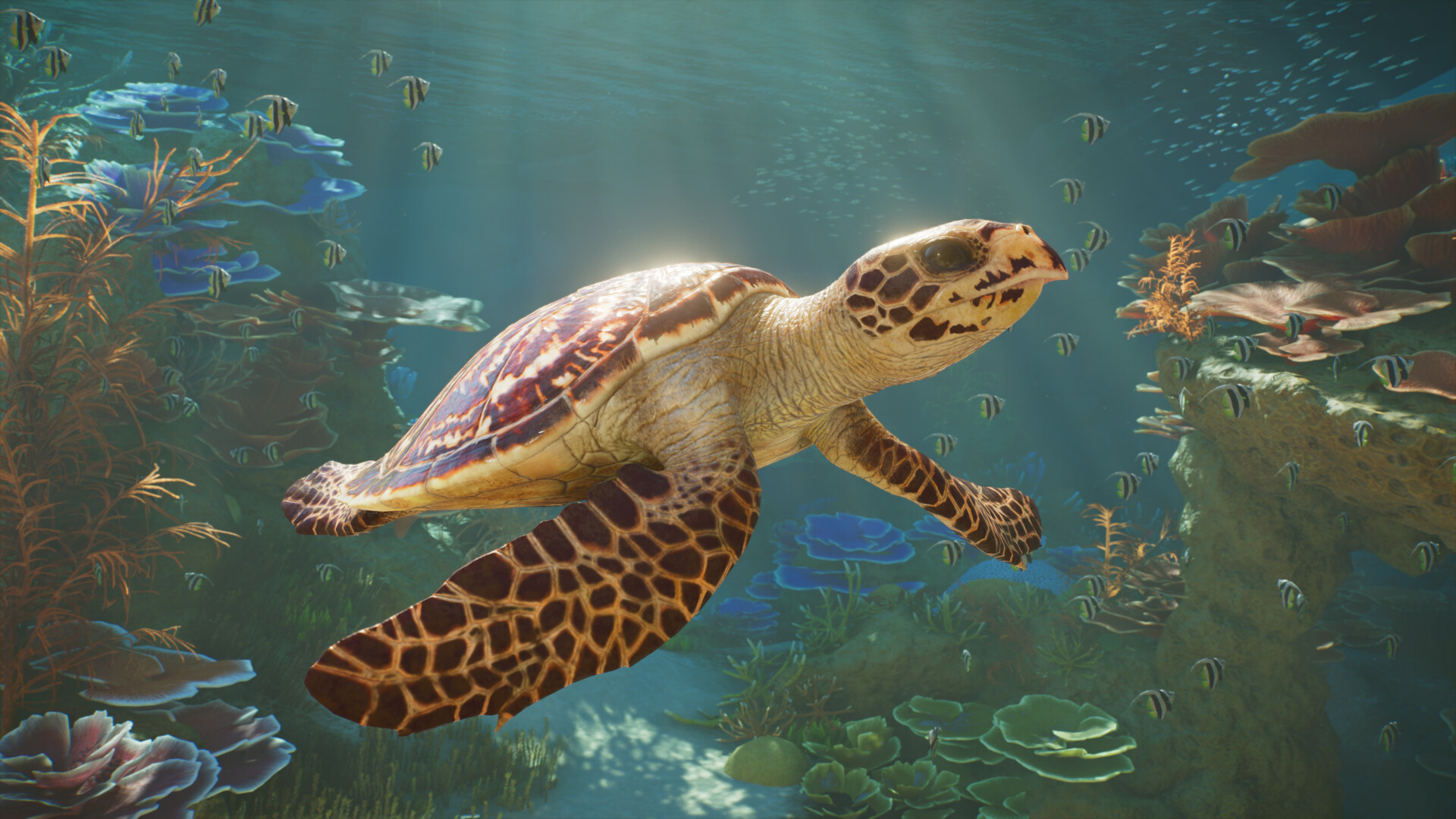
The jump in requirements lines up with what's new on screen: full aquariums with swimming fish and sea turtles, aviaries with birds that actually fly between perches, and habitats that blend terrain, water and climate simulation in ways the 2019 original never had to render together. If your GPU sits right at the minimum tier, expect to drop resolution scale or population density in large zoos before you drop shadow quality — crowd and animal counts tend to hit frame rate harder than lighting detail in this type of simulation, based on how the original Planet Zoo and other Frontier management sims have historically scaled.
Large zoo layouts are where management sims usually fall over first, long before they run out of GPU headroom. The original Planet Zoo leaned on a draw-distance and level-of-detail system that quietly simplified distant animals and foliage, and there's no reason to expect Planet Zoo 2 to drop that approach given it's built on the same Cobra engine family. If your save starts chugging once a zoo gets large, check for an LOD or object-density slider before assuming you need new hardware — on launch day, that's likely to buy back more frame rate than lowering shadow resolution will.
Ray Tracing and Upscaling: What's Actually Confirmed
Microsoft's Xbox storefront listing for Planet Zoo 2 includes ray tracing among its listed capabilities, which is the closest thing to an official confirmation so far. Frontier hasn't detailed what ray tracing affects — reflections in aquarium glass and water surfaces are the most likely candidates given the new habitats. Support for DLSS, FSR or XeSS upscaling has not been confirmed by Frontier or on the Steam page as of this writing; treat any specific upscaler claims you see elsewhere as unverified until the store page's system requirements or a patch note says otherwise.
03Accessibility Settings Worth Turning On First
This is the area Frontier has actually documented, through Steam's own accessibility tags rather than a marketing post. Planet Zoo 2 ships with:
- Adjustable Text Size — useful on a TV or ultrawide where zoo management UIs tend to run small.
- Camera Comfort options, aimed at reducing motion discomfort during fast camera pans around large zoos.
- Color Alternatives for players with color vision deficiencies, important in a game where enclosure warnings and animal health indicators rely on color coding.
- Custom Volume Controls, letting you separate ambient zoo noise from UI and music.
- Playable without Timed Input, so building and animal care don't require fast reactions.
None of these require a guide to find once you're in the options menu, but they're worth checking during your first session rather than after you've already built out a zoo with text or colors you have to squint at. Camera Comfort in particular is easy to skip past in a settings list, but zoo management games spend a lot of time on sweeping establishing shots and fast top-down pans while placing paths and exhibits, which is exactly the kind of camera movement that triggers discomfort for sensitive players.
Language support is confirmed too: full-audio localization for English, French, Italian, German, Spanish (Spain and Latin America), Japanese, Korean, Portuguese (Brazil) and Simplified Chinese, with text-only support for several more including Czech, Polish and Russian. If your system language defaults to one of the text-only options, check the in-game audio language setting separately — Steam lists them as independent options, so you can usually mix an audio track with a different subtitle or UI language.
04Controller and Save Support
Planet Zoo 2 lists full controller support alongside explicit DualShock and DualSense controller support on Steam, which matters if you're playing on a PC hooked up to a TV. Keyboard and mouse remains the more precise option for detailed terrain sculpting, but the console-style control scheme is a confirmed, supported path rather than an unofficial workaround.
On the save side, the store page confirms Steam Cloud support and Save Anytime, so you're not locked into checkpoint saves while building a zoo layout. Family Sharing is also listed, meaning a household Steam library can let a second account try the game without a second purchase, subject to Steam's usual Family Sharing rules. Combined with Steam Achievements support, that covers the basics most zoo-building sessions run for hours at a time without a hard save point forcing your hand.
One thing the controller support tag doesn't clarify is whether terrain sculpting and precise path placement — both fiddly even with a mouse in the original game — get a redesigned control scheme for gamepad, or simply map the existing keyboard shortcuts onto buttons and triggers. Series veterans moving to a Steam Deck or couch setup should expect to spend their first session testing the controller's menu navigation before committing to a full zoo build with it.

05Storage and Pre-Load Checklist
Planet Zoo 2 needs 40GB free on an SSD before launch, the same footprint as the original game despite two entirely new habitat types being added. Pre-load typically opens a day or two before launch on Steam once the build is finalized, so don't wait until October 13 itself to start the download if you're on a slower connection. If you're still weighing whether to upgrade your rig before committing to the recommended specs, keep this spec-by-spec breakdown of storage and GPU tiers open next to the table above.
Standard and Deluxe editions install to the same base footprint — the Deluxe Upgrade Pack adds six extra animal species as downloadable content layered on top rather than a separate installation, so the 40GB figure should hold for either edition at launch. Keep a bit of headroom beyond that minimum too: management sims tend to grow their save-file and cache footprint as your zoo expands, and SSD-only recommended specs suggest Frontier is leaning on fast load-in for terrain and habitat streaming rather than treating storage speed as optional.
Pre-Launch Setup Checklist
- 1Install the latest Game Ready or Adrenalin driver before October 13 so day-one performance isn't held back by an out-of-date driver stack.5 min
- 2Steam lists an SSD as required for the recommended spec tier, so check free space on your fastest drive, not just your largest one.2 min
- 3Frontier's own notes warn that Windows 10 compatibility isn't guaranteed going forward, since Microsoft ended support for it.varies
- 4If your monitor or TV supports HDR10, enable it in Windows display settings first so the in-game HDR toggle has something to output to.3 min
- 5Open the accessibility menu first on launch day and adjust Adjustable Text Size and Color Alternatives before you start building.2 min
- 6If playing with DualSense or DualShock, pair it before launch and test menu navigation, since terrain tools were mouse-first in the original game.2 min
- 7Check Steam's Cloud settings are enabled so zoo saves follow you between PCs, especially if you also plan to play on Steam Deck.1 min
06What's Still Unconfirmed Before Launch
A few things are worth rechecking once Planet Zoo 2 actually unlocks on October 13: the exact in-game graphics menu and its presets, whether DLSS/FSR/XeSS upscaling is officially supported, and what ray tracing specifically renders beyond the Xbox listing's general mention. Frontier's Feature Focus videos have covered the new aquariums, aviaries and Wildlife Reserves in detail but haven't gone hands-on with the PC options menu yet, so settings advice beyond the confirmed specs and accessibility tags above should be treated as provisional until launch day.
FAQ
What are Planet Zoo 2's official system requirements?
Minimum is a 64-bit Windows 10/11 PC with an Intel i7-8700K or Ryzen 5 3600, 16GB RAM, and an RTX 2060/RX 5600XT/Arc A750 (6-8GB VRAM), plus 40GB storage on an SSD. Recommended steps up to an i7-10700K/Ryzen 7 5800X and an RTX 3070/RX 6700XT/Arc A770, with an SSD required rather than just recommended.
Does Planet Zoo 2 support DLSS, FSR or XeSS?
Unconfirmed as of this writing. Frontier hasn't listed specific upscaler support on the Steam page, though third-party hardware previews have described DLSS, FSR and XeSS compatibility. Treat that as likely but not official until Frontier or Steam confirms it directly.
Is ray tracing confirmed for Planet Zoo 2 on PC?
Microsoft's Xbox storefront listing for the game includes ray tracing among its capabilities, which is the clearest signal so far, but Frontier hasn't detailed exactly what it affects or published PC-specific ray tracing settings.
How much storage does Planet Zoo 2 need?
40GB on an SSD for both the Standard and Deluxe editions at launch, per the official Steam listing. An SSD is recommended at minimum spec and required at the recommended spec tier.
What accessibility options does Planet Zoo 2 have?
Steam's own listing confirms Adjustable Text Size, Camera Comfort, Color Alternatives, Custom Volume Controls, and support for play without timed input, alongside full controller, DualShock and DualSense support.
Official resources

Ana writes the step-by-step tutorials: settings, controls, configs and the systems games never explain properly. Every tutorial is tested on the version named at the top of the page, with the official patch notes linked so you can check what changed.