Castlevania: Belmont's Curse: Best PC Settings and Requirements
Castlevania: Belmont's Curse launches October 14-15 on PC, PS5, Xbox and Switch. Here's every confirmed spec, control option and setting before you play.
Castlevania: Belmont's Curse is almost here, and if you're planning to run it on PC you have a short window to get your rig in order. Konami's own game page lists October 15, 2026 as the launch date, while Steam's store listing currently shows October 14 — a one-day gap worth knowing about so you don't miss preload. Nothing about the discrepancy has been addressed publicly yet, so the safest move is to have Steam open and ready to preload as soon as the client flips to "Pre-load" status, rather than waiting for a firm announcement. Here's everything confirmed about specs, controls and settings before you boot it up.
01Release Date and Platforms
Belmont's Curse is the 26th mainline entry in the series, built around Castlevania's 40th anniversary. It's developed by Konami working with Evil Empire, the studio behind Dead Cells, with Motion Twin in an advisory role. It launches simultaneously on PC (through Steam and the Xbox PC app), PlayStation 5, Xbox Series X|S and Nintendo Switch. Treat the release date as October 14-15 until Konami or Steam corrects the mismatch between their own listings; preloading a day early never hurts, and it gives you a buffer to sort out controller setup and storage before the servers get busy.
02PC System Requirements
Steam's store page lists two tiers. Minimum: Windows 11, Core i5-8400, 16GB RAM, GTX 1650, DirectX 11, and 10GB of free storage. Recommended: Windows 11, Core i5-10400, 16GB RAM, RTX 3060, DirectX 11, and the same 10GB footprint. Both tiers assume DirectX 11, so you don't need to chase a DirectX 12-only driver branch to get this running, and the RAM requirement doesn't move between tiers — 16GB is the floor either way. For a 2D action game, those bars are modest; the GPU jump from a GTX 1650 to an RTX 3060 is mostly about holding a locked frame rate during busy boss fights with layered particle and lighting effects, not about raw resolution. Note that Windows 11 is listed as the operating system on both tiers — Konami hasn't published a Windows 10 compatibility statement either way, so if you're still on Windows 10, it's worth checking your own hardware against the demo before assuming it will install cleanly. The CPU requirement also jumps a full two generations between tiers, from an eighth-generation i5-8400 to a tenth-generation i5-10400, which suggests the recommended spec is targeting a steadier frame pace during on-screen enemy swarms rather than just higher resolutions.
03Controller and Input Options
Steam's listing confirms full controller support, a "Gamepad Recommended" tag, a keyboard-only option, DualSense controller support, and custom volume controls. If you're coming from a mouse-and-keyboard action game, budget extra time with the settings menu first — a 2D whip-combat title like this one is built around analog-stick precision for dodges and directional attacks, and the gamepad-recommended label is Konami's own steer, not ours. DualSense owners specifically get dedicated support, which usually means adaptive trigger or haptic feedback tied to whip strikes, though Konami hasn't published a feature-by-feature breakdown of what that covers yet. Here's the official input breakdown as listed on Steam, so you know what to plug in before launch day rather than guessing mid-install.
| Input Method | Official Support | Notes |
|---|---|---|
| Gamepad (Xbox/generic) | Full controller support | Listed as the recommended method |
| DualSense (PS5 controller on PC) | Dedicated support | No detailed feature list published yet |
| Keyboard only | Supported | Playable, but not the primary recommendation |
| Mouse | Not called out separately | No mouse-specific aiming mechanics confirmed |
04Graphics Settings: What's Confirmed So Far
Neither Konami's page nor the Steam listing mentions DLSS, FSR, ray tracing or a resolution-scaling menu, so don't go looking for upscaling toggles at launch — nothing official has been said about them either way, and we're not going to guess at a settings menu that hasn't been shown. What is confirmed is the DirectX 11 requirement and the GPU tiers above; there's no official word yet on frame-rate targets or resolution options at either tier, so hold off on performance expectations until Konami or Steam publishes a dedicated settings breakdown after launch.
05Storage, Preload and Edition Differences
The install footprint is a lean 10GB on both the minimum and recommended tiers, so storage shouldn't be the bottleneck it is for bigger open-world launches this month. Konami is selling two versions: the $29.99 standard edition, and a $39.99 Midnight Edition that bundles the digital soundtrack and art gallery, Trevor and Sypha costumes, and a "Family's Grace" relic. Everyone who pre-orders gets an Alucard-style costume regardless of edition, and a free demo is already live on Steam if you want to confirm performance on your own hardware before committing to either version. If you're playing on a handheld instead of a desktop, pair this with a prep guide for Steam Deck compatibility before you preload, since battery life and on-the-go storage aren't covered by Konami's own spec sheet.
06Accessibility and Audio
Outside of custom volume controls, Konami hasn't published a dedicated accessibility menu breakdown — no colorblind filters, subtitle sizing or difficulty-assist options have been confirmed as of this writing, so treat that as an open question rather than a missing feature. The ESRB lists the game as Teen-rated, citing blood, violence and mild suggestive themes, which lines up with a whip-combat Castlevania entry rather than anything requiring a stricter content filter. Steam's own storefront metadata separately reports a PEGI 16 rating for a violence descriptor, which is consistent with the ESRB's assessment even though PEGI's own ratings database wasn't directly reachable while researching this piece. If accessibility options matter to your setup, the free Steam demo is the fastest way to check before the full release, since it should ship with whatever settings menu the launch build uses, and running it first also lets you confirm your save data and controller bindings carry over cleanly once the full game unlocks. It's worth checking back on Konami's official page periodically too, since publishers sometimes add accessibility details to store listings in the days leading up to launch rather than at initial announcement.
Pre-Launch PC Checklist
- 1Confirm your card meets the GTX 1650 minimum or sits closer to the RTX 3060 recommended spec for a steadier frame rate during boss fights.2 min
- 2Both the minimum and recommended specs list the same 10GB footprint, so clear that space ahead of preload.5 min
- 3Both spec tiers require Windows 11 and DirectX 11, so make sure your OS and graphics driver are current before launch day.10 min
- 4Steam lists full controller support and dedicated DualSense support, plus a gamepad-recommended tag, so pair your controller before you start.3 min
- 5Download Steam's free demo to confirm performance and controller bindings on your own hardware before buying either edition.15 min
- 6Compare the $29.99 standard edition against the $39.99 Midnight Edition's extra costumes, soundtrack and relic before preload opens.3 min
07Story and Combat Context
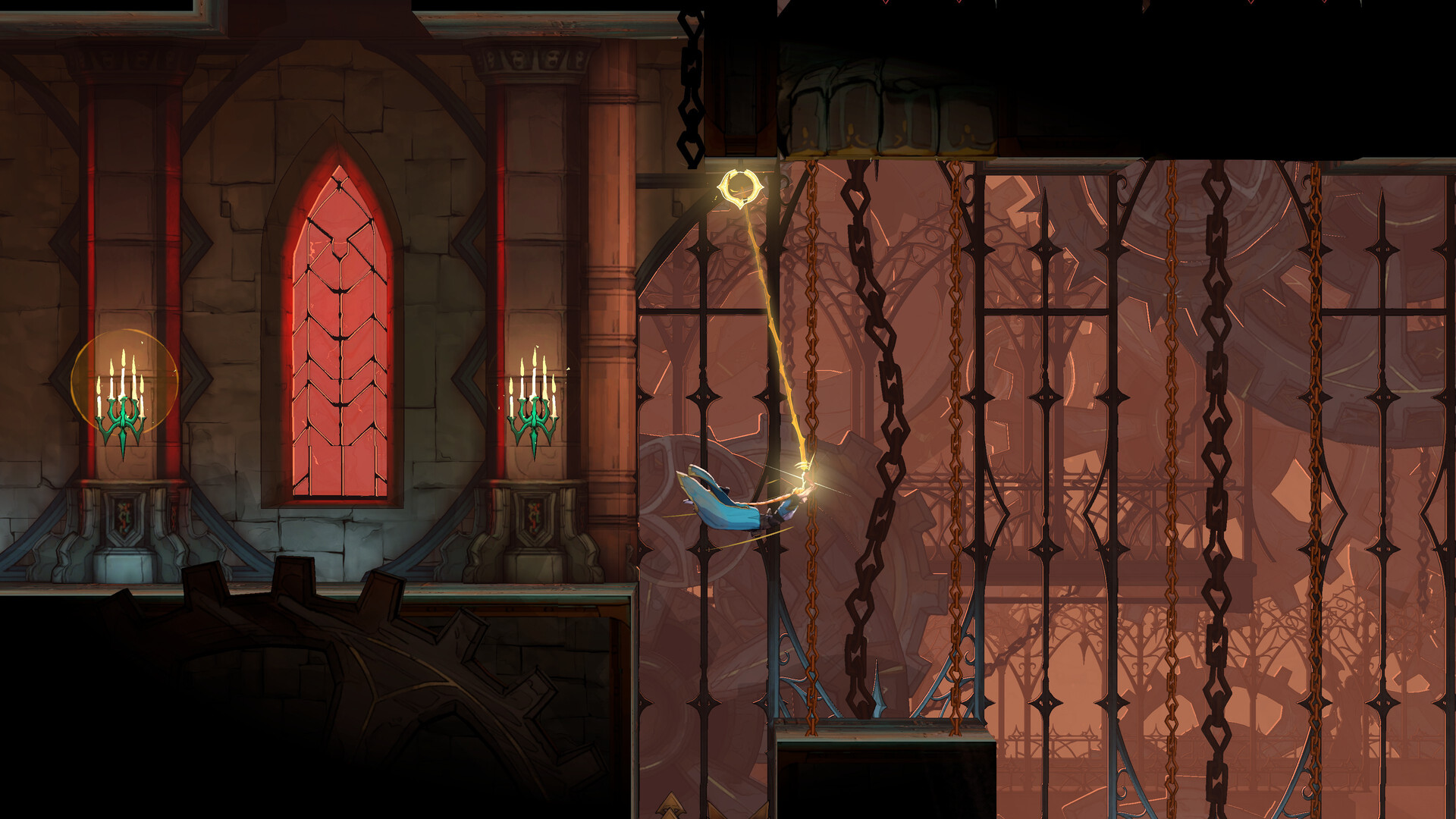
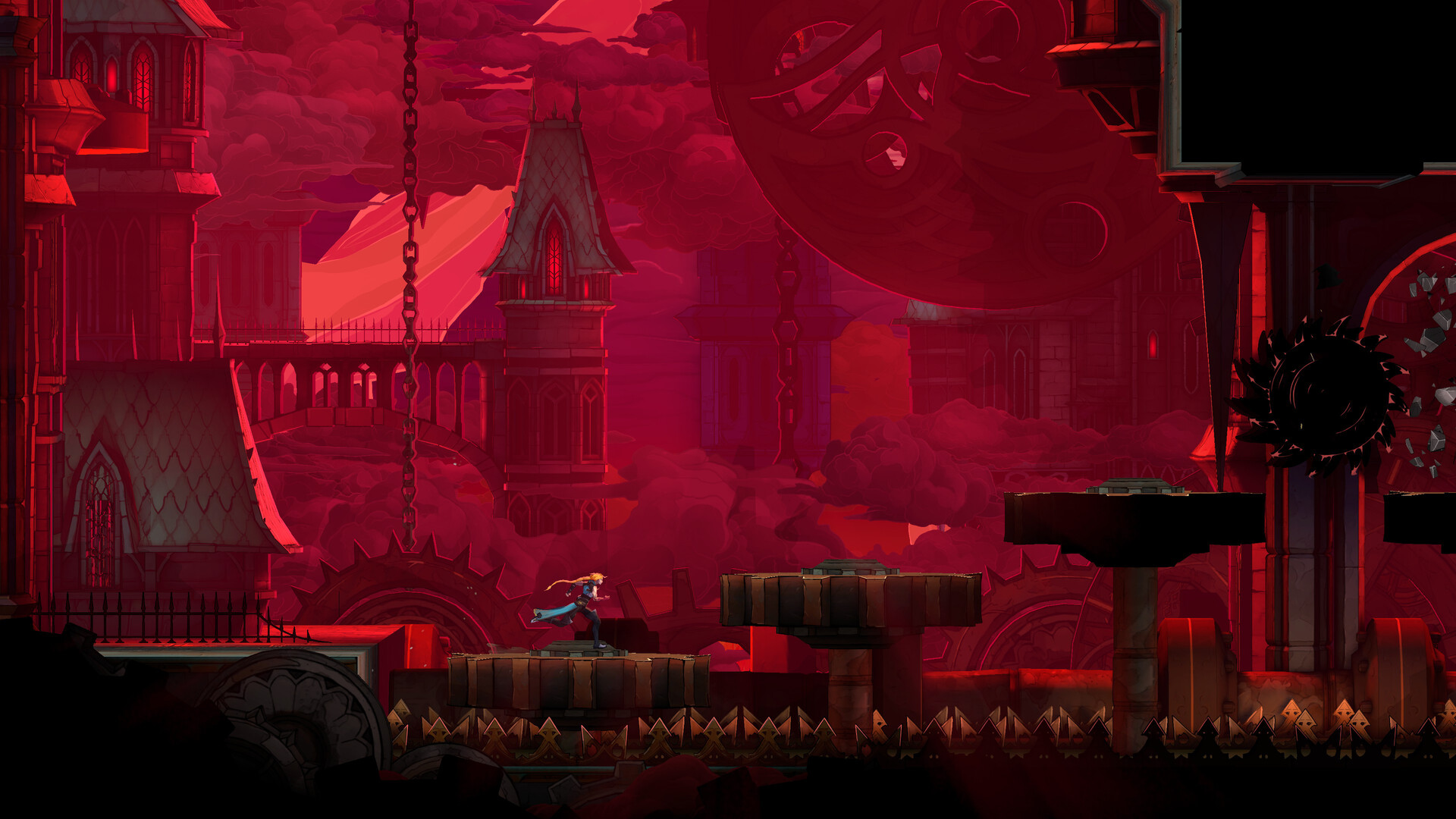
Belmont's Curse is set in Paris in 1499, roughly 23 years after the events of Castlevania III: Dracula's Curse. You play Rose Belmont, daughter of Trevor Belmont and Sypha, wielding the family's Vampire Killer whip against a city suddenly overrun by monsters. The game introduces an "Arcana" system built around tarot cards used to seal bosses after you defeat them, which is new ground for the series and worth keeping an eye on once the demo or full release is in your hands — it's likely to factor into how you build out your loadout between levels, even though Konami hasn't detailed the full mechanic publicly yet. Official screenshots show Rose swinging the glowing Vampire Killer chain across gear-filled gothic interiors and clearing spiked platforming hazards against a blood-red Parisian skyline, which gives a reasonable preview of the traversal you can expect even before full reviews land.
08Should You Wait for a Patch?
With no confirmed upscaling support and a requirements list that tops out at an RTX 3060 for the recommended tier, Belmont's Curse doesn't look like a game that needs bleeding-edge hardware to run well at launch. The bigger unknown is day-one stability rather than raw performance — Konami hasn't published patch notes yet because the game hasn't shipped, so if you're on exactly the minimum spec and want to avoid any launch-week hiccups, downloading the free demo first is the lowest-risk way to judge performance on your own machine before buying either edition. It's also worth keeping an eye on Konami's official channels in the first week after release; new engines and first-time collaborations between a publisher and an outside studio — in this case Konami and Evil Empire — tend to get at least one early stability patch once a wider player base starts reporting edge cases the closed demo period didn't catch.
“We really wanted to capture the essence of the series.”Tsutomu Taniguchi, Producer, Konami
Trevor Belmont, having received a letter from the bishop, crossed the Seine and set foot in Paris. The city had been suddenly attacked by monsters. Standing beside Trevor - the fate of the city now resting in his hands - was a young Belmont... #Castlevania #CastlevaniaBC
— Castlevania Official (@Castlevania_EN), Feb 13, 2026 on X
FAQ
Is Castlevania: Belmont's Curse releasing October 14 or October 15?
Konami's own game page lists October 15, 2026, while Steam's store listing shows October 14. Neither company has addressed the discrepancy, so treat the game as available from October 14 if you're preloading on Steam.
Does Castlevania: Belmont's Curse support DLSS or FSR?
No. Neither Konami's page nor the Steam store listing mentions any upscaling technology, so don't expect a DLSS or FSR toggle at launch.
What are the minimum and recommended PC specs?
Minimum is Windows 11, a Core i5-8400, 16GB RAM and a GTX 1650. Recommended is Windows 11, a Core i5-10400, 16GB RAM and an RTX 3060. Both need 10GB of storage and DirectX 11.
Is there a free demo?
Yes, Konami has a free demo live on Steam, which is the easiest way to test performance and controller settings before buying.
What's different about the Midnight Edition?
The $39.99 Midnight Edition adds the digital soundtrack and art gallery, Trevor and Sypha costumes, and a 'Family's Grace' relic on top of the $29.99 standard edition.
Official resources

Ana writes the step-by-step tutorials: settings, controls, configs and the systems games never explain properly. Every tutorial is tested on the version named at the top of the page, with the official patch notes linked so you can check what changed.