Counter-Strike 2 Rush Hour: New Crosshair and Reload Settings
CS2 Rush Hour update adds a new Crosshair/Scopes tab, silent reload and unscope, and a Premier map-pick change. Here is every setting explained.
Valve's Rush Hour update didn't just add a new game mode to Counter-Strike 2 — it rebuilt the crosshair system from the ground up and quietly changed how reloading and unscoping sound to the rest of the server. None of it is explained in-game beyond a settings menu and a changelog, so here's what actually changed, what each new option does, and how to set it up for yourself.
01What Rush Hour changed and when
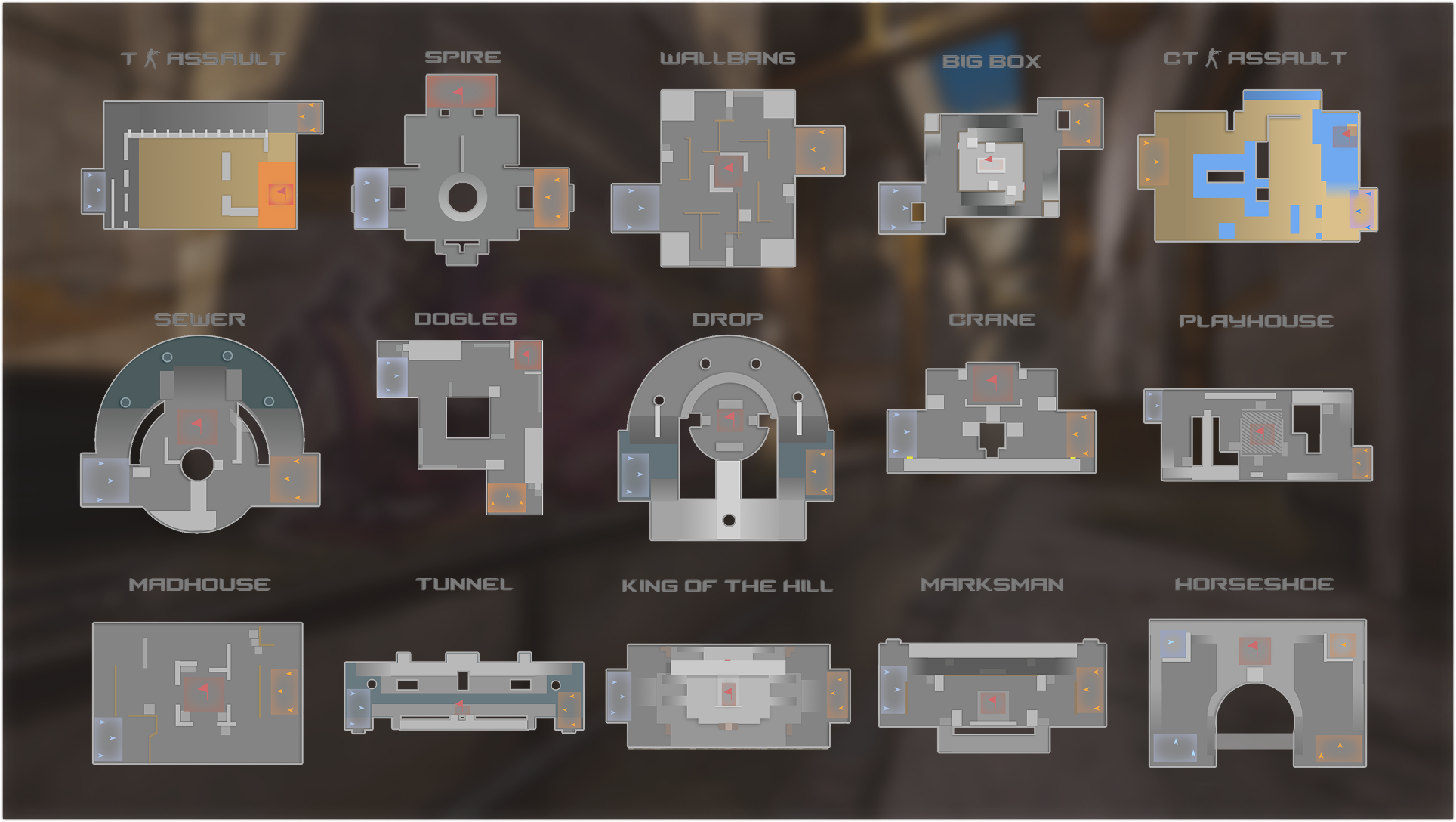
Valve shipped Rush Hour on September 22, 2026, then followed it with five smaller patches through October 2 that fixed bugs in the new systems rather than reversing them. The headline addition is Rush, a queued 3v3 mode where two teams fight through a gauntlet of randomly selected battle arenas, trying to eliminate the enemy or hold a central tower when the clock runs out. Premier's map-ban process was also replaced: instead of banning down to one map, each team now picks two, and the game randomly selects the match map from the resulting four.
The part that affects every mode, not just Rush, is the settings menu itself. Valve added a dedicated Crosshair/Scopes tab, rebuilt the math behind crosshair sizing, and introduced two stealth options — silent reload and silent unscope — that change what your opponents can hear.
02The new Crosshair/Scopes tab, explained
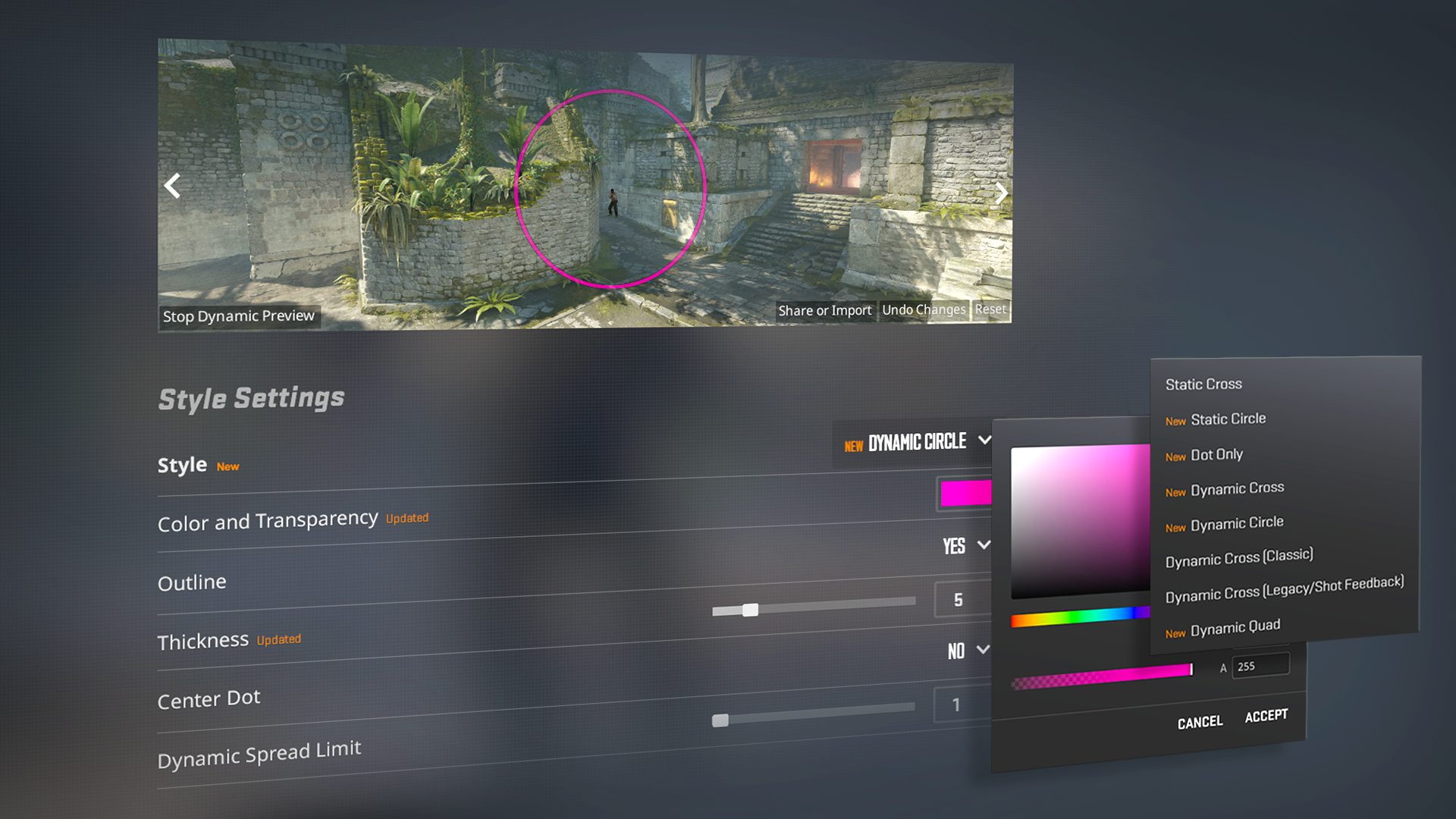
Open Settings and look for the new Crosshair/Scopes tab — it replaces the old crosshair section buried under Game settings. The biggest change underneath it: thickness, length, and gap are no longer an arbitrary 0-to-mumble scale that rendered differently depending on your resolution. They're now defined in actual pixels. Set thickness to 1 and you get a 1-pixel-wide crosshair, full stop.
Valve's own patch notes spell out the practical effect: a crosshair configured at 1280x720 with a thickness of 2 pixels will automatically rescale to 4 pixels if you switch to 2560x1440, keeping it proportionally identical on screen. If you've ever copied a pro player's old crosshair code and had it look wrong on your monitor, that's the bug this update fixes.
- Default style changed — new installs and reset profiles now start on "Dynamic Quad," which Valve says better reflects real weapon accuracy than the old default.
- New styles added, including a static square option and a "Static Quadrant" style added in a later patch.
- Half-outlines — a new toggle draws only the top-left portion of the crosshair's outline, for players who found full outlines too busy.
- Outline color is now its own setting, separate from the crosshair color itself.
- Dynamic Spread Limit caps how far the crosshair spreads at maximum inaccuracy; the new dynamic styles show your weapon's real spread and inaccuracy rather than an approximation.
- Grenade crosshairs now appear during freeze time for insta-smokes — just hold a grenade's attack button to preview the throw.
If you share crosshair codes with teammates, note that the share code format changed to fit the new settings, including scope dot scale and color. Old codes still load, but codes generated after Rush Hour won't paste correctly into a pre-update client.
03Silent reload and silent unscope
The quieter change — literally — is under gameplay rather than settings. Press and hold the reload key instead of tapping it, and your weapon reloads without the usual sound cue, at the cost of a noticeably longer animation. It's a straight trade: give up tempo to deny information. Valve patched out two early exploits around it, including a way to tap-then-hold for a faster silent reload and a shotgun-specific bug that let silent reload fire faster than a normal one, so the mechanic now works as intended on every weapon.
Unscoping a sniper rifle is also now completely silent — no click, no cue for anyone listening nearby. Combined with silent reload, it's worth rebinding or at least memorizing your reload key if you currently use a default binding you rarely touch; holding it deliberately is now a real tactical choice, not an accident.
If you run a community server, Valve added sv_clantags_enabled so admins can turn off the returning Clan Tags feature, and ammo_grenade_limit_total now enforces a hard cap on total grenades purchased per round rather than per type, closing a loophole where players stacked multiples of the same grenade.
Set up the new Rush Hour settings
- 1In the main menu, go to Settings and select the Crosshair/Scopes tab (it replaced the old crosshair section under Game settings). This is where every new option below lives.1 min
- 2Enter exact pixel values for thickness, length and gap instead of the old arbitrary scale. A thickness of 1 now always means a 1-pixel-wide line, and the game automatically rescales it if you change resolution later.2 min
- 3Choose from the updated style list, including the new default Dynamic Quad, a static square option, and Static Quadrant. Dynamic styles show your weapon's real spread using the new Dynamic Spread Limit setting.2 min
- 4Set outline color separately from crosshair color, and try the new half-outline toggle if a full outline feels too busy on your current style.1 min
- 5Press and hold reload instead of tapping it to reload silently at the cost of a slower animation. Decide now whether your current reload bind is comfortable to hold deliberately.1 min
- 6On your Steam player profile, select one of your Steam Community Groups to make its Clan Tag appear next to your name in-game and in death notices.2 min
- 7If you share a crosshair code with teammates, regenerate it after making changes. The code format changed in this update to include scope dot scale and color, so pre-update codes may not paste correctly.1 min
04Rush mode: what to check before your first match
Rush drops you into 3v3 rounds that run far faster than Competitive or Premier, which means the settings that matter most are the ones that affect reaction time, not long-range spotting. Before queuing, it's worth revisiting your viewmodel and FOV settings specifically for Rush — the battle arenas are tighter than standard maps, and a wider field of view helps more here than it does on open Mirage or Inferno angles. Your existing crosshair, binds, and buy presets all carry over from Competitive, since Rush shares the same core weapon and economy systems; there's no separate settings profile to configure.
Budget management is the real skill gap in Rush. Each round gives you a tighter, fixed budget than a standard Counter-Strike economy, so the quick-buy binds you may have ignored in Competitive are worth setting up here. Map a buy menu favorite to a single key if you haven't already — in rounds this short, navigating a full buy menu can cost you the opening engagement. The friends leaderboard Valve added for Rush tracks wins specifically, so if you're grinding it with a set squad, make sure everyone queues from the same party rather than solo-queuing into random teammates.
05Bullet impact, blood, and other visual changes
Valve also increased the visual clarity of blood and bullet-impact decals globally, not just in Rush. The patch notes describe it plainly: blood is now much more visible and bullet impacts are far more distinct. This isn't a toggle — it applies by default across every mode — but it's worth knowing about if you rely on bullet decals on walls to confirm where shots are landing during spray control practice, since the decals you're used to reading now look noticeably different. Chickens, for what it's worth, can now take damage from the Zeus x27, a detail Valve added alongside the bigger changes.
The Warehouse map also received a lighting pass, and multiple competitive maps got clipping and gap fixes in the days after launch — Ancient had holes patched in Long A Main Hall, Cache got gap fixes near the blue doors in Mid, Mirage had scaffolding by the A site balcony reinforced, and Train had a pixel gap in the bombsite A crates blocked. None of these require you to change anything, but they explain why angles you were used to on these maps may have shifted slightly.
06What the follow-up patches fixed
Rush Hour's launch update on September 22 was followed by five more patches through October 2, each cleaning up issues in the new systems rather than changing the design. A September 23 patch fixed left and right-handed viewmodels animating incorrectly during silent reloads and made Dual Berettas animate correctly while reloading in first person. A September 25 patch closed the tap-then-hold exploit for faster silent reloads and a shotgun-specific bug that let silent reload fire faster than intended. Later patches added the "Static Quadrant" crosshair style, fixed grenade crosshair rendering when thickness is set to 3 pixels, and updated the Workshop convars whitelist so custom servers and configs can reference the new crosshair settings. None of these require any action from you — they apply automatically — but if something about the new crosshair or reload felt buggy in the first few days, it's likely already fixed.
07Should you actually use silent reload?
In practice, silent reload is situational rather than a default habit to build. The animation takes noticeably longer, so reloading silently while an enemy is already pushing your position usually costs you more than it hides. It's most useful off-angle, after a fight has died down and before you expect to be re-engaged — exactly the moments after a Rush round's tower changes hands, where the longer reload won't be punished immediately.
The crosshair rework matters more day to day. Because sizing is now resolution-independent, it's worth re-checking your crosshair after this update even if you never touch the menu otherwise — a code built for your exact old resolution could render slightly differently than you remember, and the new default style means anyone who reset their settings is seeing "Dynamic Quad" instead of whatever shipped before.
FAQ
Do I need to reconfigure my crosshair after the Rush Hour update?
Not necessarily, but it is worth checking. Crosshair sizing is now defined in pixels instead of the old resolution-dependent scale, so a code built for your exact old setup could render slightly differently now. Old crosshair codes still load.
How do I reload silently in Counter-Strike 2?
Press and hold the reload key instead of tapping it. The weapon reloads without the usual sound cue, but the animation takes noticeably longer than a normal reload.
Does unscoping make noise after this update?
No. Unscoping a sniper rifle, such as the AWP, no longer produces any sound, regardless of whether you use silent reload.
What is the default crosshair style now?
New and reset profiles default to "Dynamic Quad," which Valve designed to better represent real weapon accuracy than the previous default style.
How does map selection work in Premier after Rush Hour?
Instead of banning maps down to one, each team now picks two maps. The match map is then chosen at random from the combined pool of four.
Official resources

Ana writes the step-by-step tutorials: settings, controls, configs and the systems games never explain properly. Every tutorial is tested on the version named at the top of the page, with the official patch notes linked so you can check what changed.