War Thunder Eagle's Shadow: Best DLSS 5 and Graphics Settings
War Thunder's Eagle's Shadow update adds NVIDIA DLSS 5 and reworked weather effects. Here's how to turn it on and pick the right graphics settings.
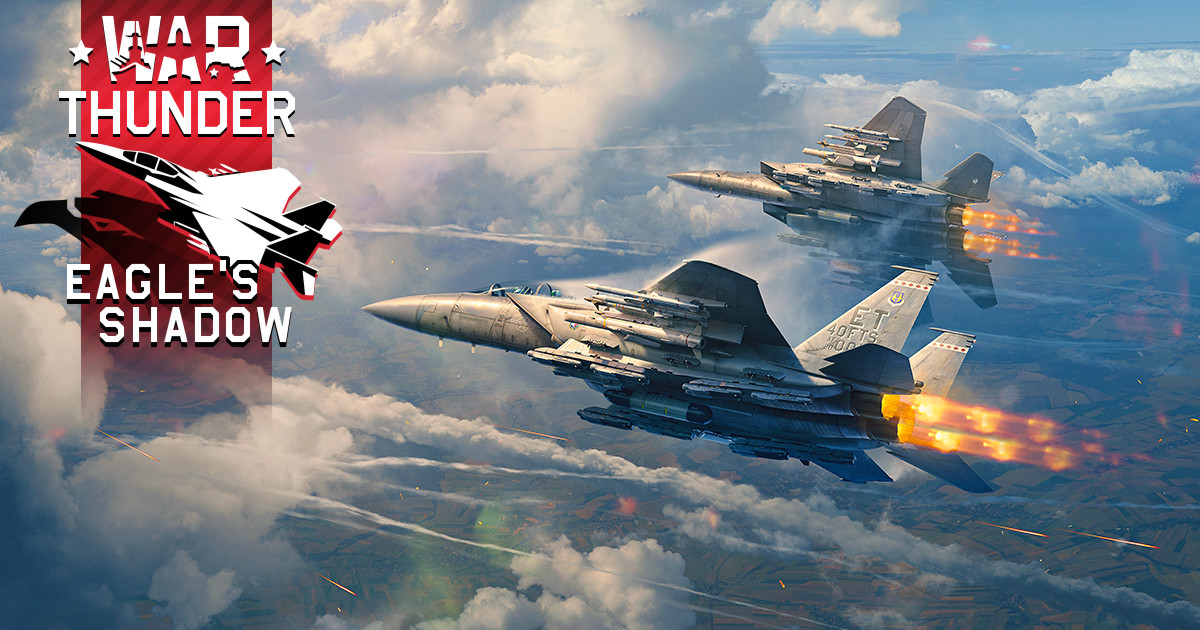
War Thunder's "Eagle's Shadow" major update went live on November 11-12, 2026, and it's one of the bigger graphics pushes Gaijin Entertainment has shipped for the free-to-play combined-arms shooter. Alongside dozens of new tanks, planes and ships, the update adds NVIDIA DLSS 5 support with "3D-Guided Neural Rendering," reworked weather and cloud rendering, and a long list of lighting fixes. None of it is turned on by default in a way that's obvious from the main menu, so here's what actually changed, how to turn the new tech on, and which settings are worth your time depending on your hardware.
01What Changed in the Eagle's Shadow Update
Eagle's Shadow adds a wave of new vehicles across every mode, including the F-15EX and F-15IA Ra'am II jets, the Leopard 2A8 main battle tank with Trophy active protection, and the Su-15TM interceptor carrying newly added R-98 missiles. Naval players get the cruiser Erie, the German H-39, and Great Britain's HMS Danae and HMS Duke of York, while new cockpits arrive for the B-17E, the SE.203 Aquilon 203 and the Mi-8TV helicopter. Gaijin also reworked the visuals on the Sun City and American Desert maps without changing their layouts, overhauled twelve weather presets with new cloud shapes and surface lighting, and replaced the old repeating cloud pattern with varied, blended copies. Snow now builds up as a 3D texture on vehicles and thaws on hot surfaces, smoke tracers are volumetric and react to wind, and crepuscular rays and sharper horizon fog have both returned to the renderer.
The headline change, though, is DLSS 5. According to NVIDIA's own announcement, War Thunder is the third game to receive it, following NBA 2K27 in September and Hogwarts Legacy a week before Eagle's Shadow, with Where Winds Meet due to pick it up on November 23. All four updates run on the same AI rendering model NVIDIA released last month — a version the company says is twice as fast as the one DLSS 5 launched with.
02DLSS 5 and 3D-Guided Neural Rendering, Explained
War Thunder already runs DLSS 4.5, with Multi Frame Generation, Super Resolution, Ray Reconstruction and DLAA, plus Reflex and path-traced global illumination. DLSS 5 adds a new final step to that pipeline called 3D-Guided Neural Rendering: it takes the engine's own rendered frame, motion vectors and color data and uses an AI model — a version NVIDIA says is twice as fast as the one that debuted earlier this year — to add lighting and material detail on top, before the game's post-processing and UI are drawn.
In practice that means deeper, more natural shadows under tank tracks and camouflage netting, stronger highlights on wet armor and hulls, and more convincing reflections on choppy water during naval battles, all without changing War Thunder's underlying art style. Some early community reports also claim DLSS 5 draws noticeably more GPU power and runs hotter than DLSS 4.5 — neither Gaijin nor NVIDIA has put a number on that in an official post, so treat it as unconfirmed and keep an eye on your temperatures the first few sessions after enabling it.

“DLSS 5 does not completely change how War Thunder looks at first glance, and that's good, as players would like us to stick to our original visual style. On the other hand, the sheer number of subtle improvements is so significant that some members of the team initially thought we had changed the rendering engine itself.”Kirill Stupin, Art Director, Gaijin Entertainment
03How to Turn On DLSS 5 and Pick the Right Preset
DLSS 5 in War Thunder is currently limited to GeForce RTX 50 Series cards and RTX Spark systems — Gaijin's own community team has said there's no information yet on RTX 40 Series support, so don't expect to find the option if you're on older NVIDIA hardware. Neither Gaijin nor NVIDIA has published an exact in-game toggle label the way they did for Hogwarts Legacy's "Neural Rendering" switch; what NVIDIA has confirmed is that 3D-Guided Neural Rendering runs automatically on supported GPUs once you're using War Thunder's Ultra graphics preset with Path Tracing enabled, backed by Ray Reconstruction and up to 6x Multi Frame Generation.
Turning On DLSS 5 in War Thunder
- 1Open the NVIDIA app or GeForce Experience and install the latest Game Ready driver before launching War Thunder — DLSS 5 ships through the driver, not a separate in-game download.2 min
- 2Make sure the Eagle's Shadow update has fully downloaded, then start the game and head into Settings > Graphics.1 min
- 3Select the Ultra graphics preset, which includes Path Tracing — DLSS 5's 3D-Guided Neural Rendering runs on top of it for supported RTX 50 Series and RTX Spark GPUs.1 min
- 4Check that Path Tracing is enabled within the Ultra preset; NVIDIA's own benchmarks for DLSS 5 in War Thunder are all measured with it active.1 min
- 5Keep Ray Reconstruction and Multi Frame Generation enabled — both are part of the DLSS 4.5 stack that DLSS 5 builds on, and NVIDIA says up to 6x frame generation is what keeps frame rates high at Ultra.1 min
- 6Choose DLSS, FSR, XeSS or Gaijin's own TSR depending on your hardware, and start on the Balanced preset before tuning further.2 min
Before any of that works, make sure you're actually running a current Game Ready driver — DLSS 5 ships through NVIDIA's regular driver channel, and the single most common reason a new DLSS tier doesn't show up in a supported title is an outdated or skipped driver update rather than a missing in-game setting. The NVIDIA app's Drivers tab will flag a new release the same day War Thunder's patch goes live, so it's worth checking there first if the option seems to be missing entirely.
NVIDIA's own benchmarks give a rough idea of what to expect once it's running: up to 400 FPS at 4K on the Ultra preset with path tracing, up to 550 FPS at 1440p, and fast frame rates at 1080p on desktop RTX 50 Series cards. On laptops, an RTX 5090 Laptop GPU hits up to 300 FPS at 2560x1600 on the High preset with path tracing, and RTX 50 Series laptops reach up to 490 FPS at 1080p. Those are vendor-published numbers from controlled ground-battle benchmarks, so treat them as a ceiling rather than what you'll see in a sixteen-player match — air and naval modes, in particular, tend to run differently.
04Ray Tracing Settings: RTSM, RTAO and RTR
If you don't have DLSS 5 hardware, War Thunder's older ray tracing options — added back in the Firebirds update — are still the main graphics decision worth making. They're split into three independent toggles: Ray Traced Shadow Map (RTSM) for sun shadows, with an optional dynamic-light mode aimed at high-end GPUs; Ray Traced Ambient Occlusion (RTAO), with Low, Medium and High quality tiers that trade internal resolution and denoising quality; and Ray Traced Reflection (RTR), where Low and Medium use checkerboard rendering and omit or include RT shadows inside reflections, while High disables checkerboarding and adds translucent glass reflections.

Gaijin's own developers have recommended the Medium RT preset as the best balance of image quality and performance for most players, reserving the High tier for genuinely top-end GPUs. RTR also lets you choose full or half resolution for water and normal surfaces separately, which is worth dropping to half res first if you're chasing frame rate in naval battles. Worth noting: when these ray tracing options first launched, they were limited to Nvidia graphics cards, with Gaijin calling broader AMD and Intel support a priority but giving no release date. That same gap carries over to DLSS 5 today — it's an Nvidia-only feature, and there's no public timeline for RTX 40 Series, Radeon or Arc support.
05Upscaling, Anti-Aliasing and Controller Setup
War Thunder supports four upscaling methods: NVIDIA DLSS, AMD FSR, Intel XeSS, and Gaijin's own TSR. The developers' own advice is to pick whichever matches your GPU vendor and start on the Balanced preset — it's the preset they call the best middle ground between sharpness and performance — and drop to Performance mode if you're on an older or lower-end card. Don't skip this step before touching ray tracing or DLSS 5: an upscaler set to Quality on a mid-range GPU will usually cost you more frame rate than any single RT toggle.
On the controls side, War Thunder has full controller support on PC and console, including dedicated DualShock and DualSense input through Steam's Input API, so pad players don't need third-party remapping tools to get proper vibration and gyro support in vehicles that use it. If you're switching between a controller for air battles and a mouse and keyboard for tanks, it's worth saving separate control presets for each rather than trying to tune one scheme for every vehicle type.
06Is DLSS 5 Worth Turning On?
For the handful of players with RTX 50 Series or RTX Spark hardware, yes — it's a free visual upgrade layered on top of settings you'd likely already be running, and Gaijin's own art director has said the changes are subtle enough to preserve War Thunder's established look rather than reinvent it. For everyone else, Eagle's Shadow is still worth checking out purely for the weather and lighting rework, and the Medium RT preset remains the more realistic target if path tracing and neural rendering aren't available on your card yet. Either way, update your NVIDIA driver before you judge any of it — a stale driver is the most common reason a new DLSS feature doesn't show up in a supported game's settings menu at all.
FAQ
Which GPUs support DLSS 5 in War Thunder?
Only GeForce RTX 50 Series cards and RTX Spark systems right now. Gaijin's community team has said there's no information yet on RTX 40 Series support, and neither AMD nor Intel GPUs are supported.
Does enabling DLSS 5 change War Thunder's art style?
No. Gaijin's art director Kirill Stupin has said the update doesn't noticeably change how the game looks at a glance — the improvements are in shadow detail, highlights and microcontrast rather than a new rendering style.
Do I need Path Tracing enabled to use DLSS 5?
NVIDIA's confirmed setup pairs 3D-Guided Neural Rendering with War Thunder's Ultra preset, which includes Path Tracing, Ray Reconstruction and Multi Frame Generation — that's the combination its benchmarks are based on.
What if I don't have DLSS 5 hardware?
Use War Thunder's existing ray tracing options instead. Gaijin recommends the Medium RT preset for Ray Traced Shadow Map, Ambient Occlusion and Reflections as the best balance of quality and performance.
Why isn't DLSS 5 showing up in my settings after the update?
Check that your NVIDIA driver is fully up to date first — an outdated Game Ready driver is the most common reason a new DLSS tier doesn't appear, even on supported RTX 50 Series hardware.
Official resources

Ana writes the step-by-step tutorials: settings, controls, configs and the systems games never explain properly. Every tutorial is tested on the version named at the top of the page, with the official patch notes linked so you can check what changed.