No Man's Sky iPhone and iPad: Best Settings and Controls Guide
No Man's Sky lands on iPhone and iPad on October 28 — here's how to set up touch controls, performance settings and controller support before launch.
No Man's Sky is coming to iPhone and iPad on October 28, and it isn't a stripped-down spin-off — Hello Games has rebuilt the controls from scratch so the same procedurally generated universe you'd explore on PC or console now fits in your pocket. Whether you're pre-ordering during the App Store's Indie Games Week or waiting for launch day, here's how to get your device ready and set up controls, performance and your control scheme before you take off.
01What's Actually Coming to iPhone and iPad
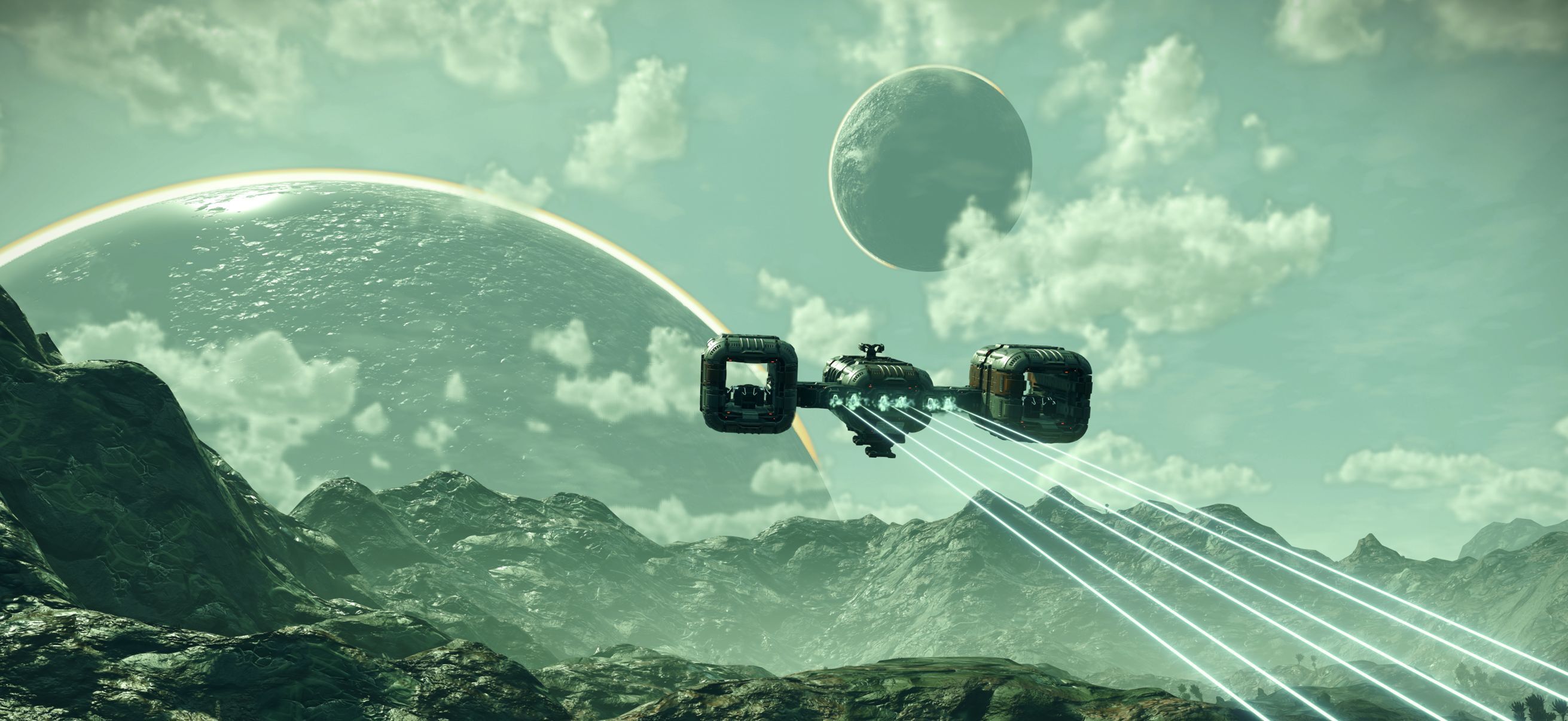
Hello Games has been clear that this isn't "No Man's Sky Lite." The iOS release includes the full explorable universe along with more than forty major updates the game has picked up since launch, including the recent COSMOS update and last year's Voyagers expansion, which added custom starship building. Studio managing director Sean Murray says the idea started almost as a dare: a team member floated the possibility of running the game on an iPhone, and the studio spent roughly three years turning that into a working port.
That matters for how you should think about settings here. Because this is the same simulation running underneath, most of what you already know about No Man's Sky still applies — ship upgrades, base building, multiplayer expeditions (mostly) and all. The settings that change are the ones built around touch: how you steer, how you mine, and how you manage your inventory with a thumb instead of a control stick.
02Confirming Your Device Is Ready
Before you queue up the download, check your hardware against the published minimums. Hello Games lists an iPhone 11 or newer, or a 3rd-generation iPad Air or newer, and the App Store's own listing sharpens that to "iOS 26.0 or later and a device with the A12 Bionic chip or later" (the same requirement is given for iPadOS 26.0). If you want to build and manage Planetary Settlements, you'll need an iPhone 15 Pro or later — that feature is locked out on older supported phones, similar to how Hello Games phased in features on the original Nintendo Switch release. If you haven't pre-ordered yet, this device-readiness checklist for launch day breaks down storage space and iOS version requirements in more depth.
One pleasant surprise: because No Man's Sky generates its universe at runtime rather than shipping pre-built levels, the install itself stays under 4GB — small enough that it downloads in a single tap from the App Store without eating into the rest of your phone's storage. Worth noting: the App Store page currently lists the release as "Expected Oct 29, 2026" in some regions, a day later than the October 28 date Hello Games gave in its own announcement, so don't be surprised if the exact unlock time varies slightly depending on where you are.
03Pricing, the Free Trial and Indie Games Week
No Man's Sky is launching as part of Apple's Indie Games Week on the App Store, which is why pre-orders opened several weeks ahead of the October 28 release instead of the listing simply going live on launch day. The app itself downloads for free, and Hello Games is framing the opening stretch as a genuine trial rather than a limited demo — you get real time in the actual universe before deciding whether to commit. If you want to keep playing past that point, the App Store lists a single in-app purchase, "Full Game Unlock," priced at a one-time $19.99, with no subscription and no second tier to upsell you into later.
That pricing structure is worth settling on before you start exploring, since there's nothing worse than getting attached to a save file and then having to decide under pressure whether to pay. If the free trial has you hooked within the first system or two, you'll likely want to unlock the full game before you've sunk real time into base building you'd hate to lose track of.
04Setting Up Touch Controls, a Controller, or Keyboard and Mouse
No Man's Sky has always had a lot of control surfaces to map — walking, flying, first- and third-person combat, mech piloting, vehicle driving — and Hello Games says getting touch to feel natural across all of that was as big a challenge as getting the game running on mobile hardware at all. The on-screen layout uses a virtual movement stick on the left, context-sensitive action buttons on the right, and quick-access icons for your jetpack, mining tool and inventory clustered where your thumbs naturally rest.
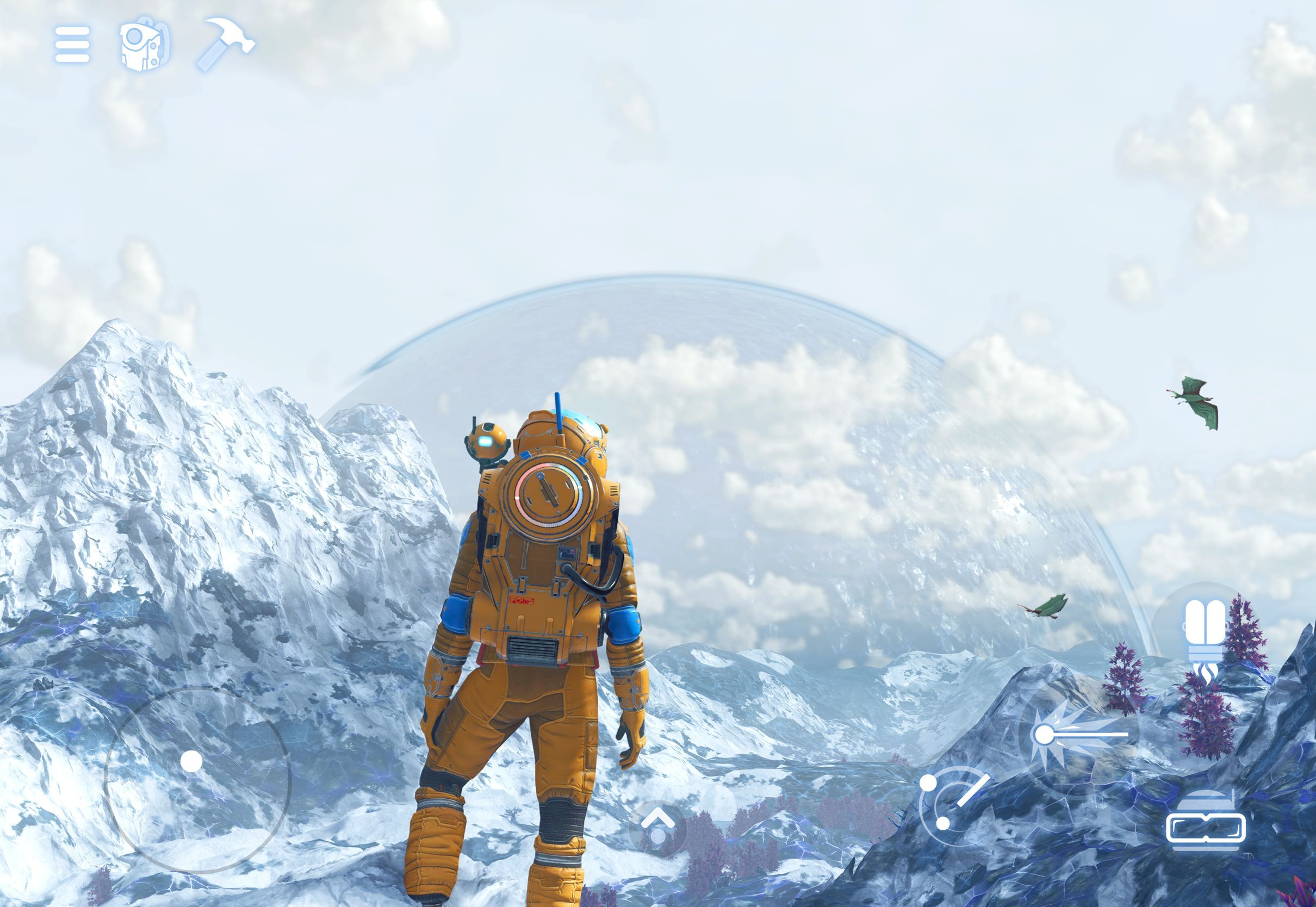
If touch isn't your preference, you don't have to use it. The iOS version supports paired controllers the same way the console versions do, so a familiar gamepad works for combat, flight and base building alike. iPad owners get an extra option: full mouse and keyboard support, which is worth trying if you're used to managing inventory and crafting menus with a cursor on PC. Hello Games has also confirmed casting to a TV, so you can play on a bigger screen while your device handles the processing.
Inventory and crafting are where touch controls get the most real-world testing, since sandbox survival games like this one tend to pull players into menus constantly. Spend a few minutes in a safe area — your starting planet or the inside of your ship — dragging items between inventory slots and queuing up a few crafting recipes before you head into anything dangerous. It's a better place to build muscle memory than mid-firefight.
05Performance, Battery and Storage
Hello Games says it put significant engineering time into battery life and thermal management specifically so the game holds up over long sessions, rather than just running for a few minutes before your phone throttles or the battery drains. That's a real design priority here, not just marketing language — the studio called it out directly in its own announcement rather than leaving it as an assumed benefit of a smaller mobile build.
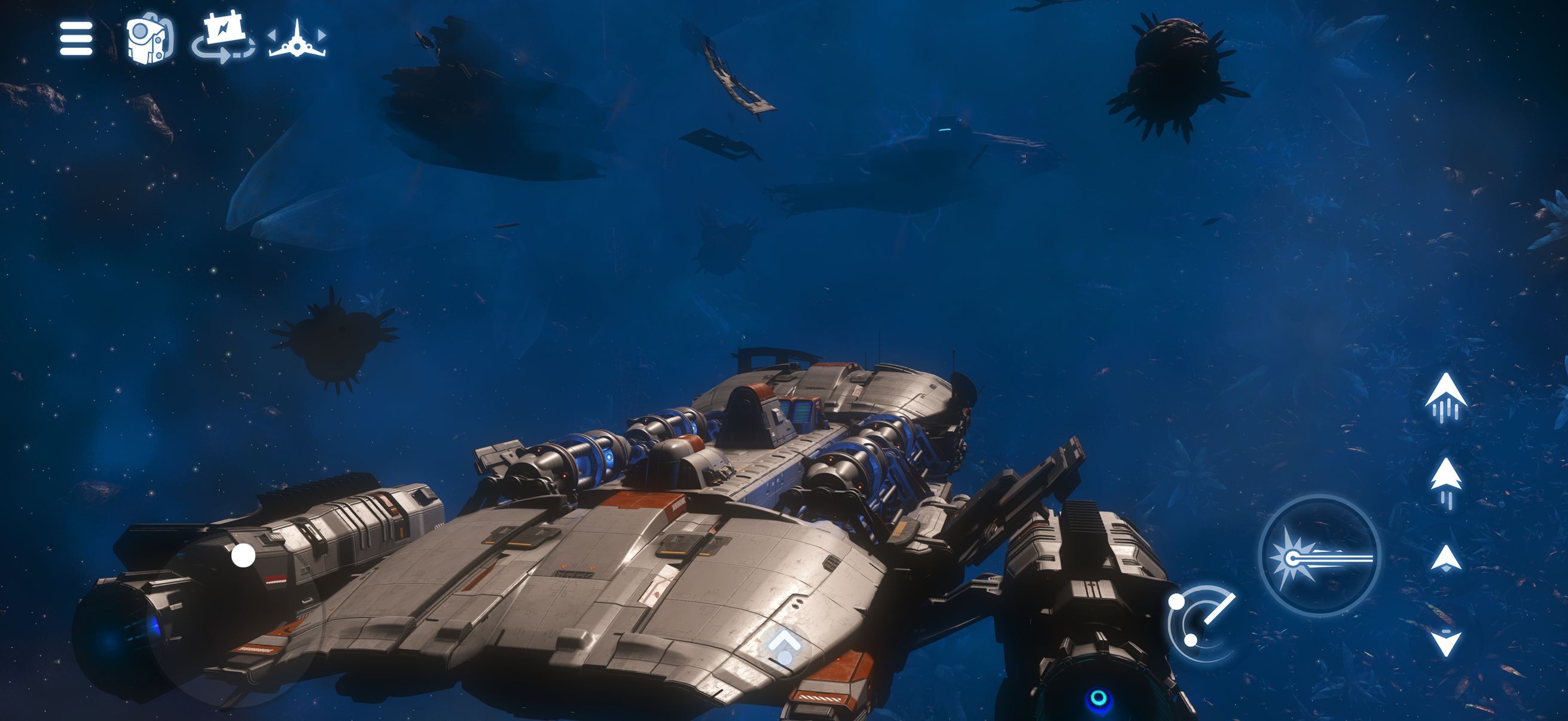
A few habits will get you more mileage regardless of which device you're on. Close other apps running in the background before you start a session, since No Man's Sky's runtime universe generation is already demanding on the processor. Keep your screen brightness at a moderate level rather than maxed out, since the display is typically the single biggest drain on a phone or tablet during a graphically busy game. And if you're playing a long session away from a charger, periodically check your battery percentage rather than waiting for a low-power warning mid-expedition — there's nothing worse than losing track of time exploring a new planet and watching your phone die before you can get back to your ship.
Getting No Man's Sky Set Up on iOS
- 1Check that you have an iPhone 11 or newer, or a 3rd-generation iPad Air or newer, running iOS or iPadOS 26. The App Store also requires an A12 Bionic chip or later.2 min
- 2Reserve your copy now through the App Store's Indie Games Week promotion so the download is ready to go the moment it unlocks on your device.1 min
- 3The app itself is a free download. Launch it and play the opening stretch of the real universe before deciding whether to unlock the full game.5 min
- 4Try the rebuilt touch controls first, then compare them against a paired controller or, on iPad, mouse and keyboard, to see what feels best for your play style.5 min
- 5Open your inventory and queue a few crafting recipes on your starting planet or inside your ship before you head into combat or a hazardous environment.3 min
- 6Close background apps and keep brightness moderate to get the most out of the battery and thermal work Hello Games built into the port.Ongoing
- 7If the trial has you hooked, buy the one-time $19.99 Full Game Unlock from inside the app to keep your save going.1 min
06What's Missing at Launch
Not everything from the console and PC versions has made the jump yet. Multiplayer isn't supported on iOS at launch, so expeditions and co-op base building will have to wait for a future update, if Hello Games adds them at all. The studio has been upfront that its post-launch plans depend on how many people actually play on iOS — it took a similar approach with the original Switch release, starting smaller and expanding the feature set once it saw how the audience responded.
“This is not No Man's Sky Lite. It is the full universe to explore.”Sean Murray, Hello Games managing director
Planetary Settlements, the base-management feature that lets you oversee an NPC-run settlement, is also gated to iPhone 15 Pro and newer for now. If you're on an older supported phone, you'll still get the rest of the game — exploration, combat, base building, trading and the full story content — just not that particular system.
07Watch Hello Games' Own iOS Deep Dive
If you want to see the touch controls in motion before you commit to a pre-order, Hello Games published its own deep dive covering the port, with managing director Sean Murray walking through how it plays on both iPhone and iPad. It's a better reference than any screenshot for judging whether the control scheme will work for you, especially if you're deciding between touch and a paired controller.
Pre-orders are live now through the App Store's Indie Games Week, the game is free to try starting October 28, and the full unlock runs a one-time $19.99 if you decide to keep going past the trial. Given how much of the existing No Man's Sky catalog is included on day one, it's worth at least trying the free portion on whatever iPhone or iPad you've already got in your pocket.
FAQ
When does No Man's Sky release on iPhone and iPad?
October 28, 2026, according to Hello Games' own announcement, though the App Store listing shows October 29 in some regions. Pre-orders are already live through the App Store's Indie Games Week.
Is No Man's Sky free on iOS?
The app is free to download and includes a real trial of the universe. Continuing past the trial requires a one-time $19.99 Full Game Unlock purchase.
Which iPhones and iPads can run No Man's Sky?
An iPhone 11 or later, or a 3rd-generation iPad Air or later, running iOS or iPadOS 26 with an A12 Bionic chip or newer, per the App Store listing.
Can I use a controller or keyboard and mouse?
Yes. No Man's Sky on iOS supports paired controllers, and iPad additionally supports mouse and keyboard. Casting to a TV is also available.
Does No Man's Sky support multiplayer on iOS at launch?
No. Multiplayer isn't available at launch, and Planetary Settlements are limited to iPhone 15 Pro and newer.
Official resources

Ana writes the step-by-step tutorials: settings, controls, configs and the systems games never explain properly. Every tutorial is tested on the version named at the top of the page, with the official patch notes linked so you can check what changed.