Once Human: Best PC Settings and Controls for Isles of Abyss
Once Human's Isles of Abyss expansion adds ship building, diving, and naval combat. Here are the PC settings, specs, and setup changes to make first.
Once Human's biggest update yet, Isles of Abyss, went live after the October 21 maintenance window and turned Starry Studio's survival game into something closer to a ship-building sim with a horror twist. You're no longer just managing a base on dry land — you're designing hulls, charting routes across five sea regions, and diving for salvage while an ancient entity called the Sunken Lord lurks beneath the waves. None of that works well on default settings, so before you launch your first boat, here's what to check in your options menu and what the new systems actually ask of your controls.
01Why Isles of Abyss Changes Your Settings Checklist
Isles of Abyss isn't a small content drop. Starry Studio built an entirely new ocean layer on top of the existing map, with ship construction from hull, deck, gunwale, and bow pieces, multiple propulsion types from manual rowing to electric drive, and a diving loop that has its own gear and hazards. The scenario runs on a roughly 21-day cycle split into two phases, and every character starts at max level with the Cradle system turned off entirely — progression during the event runs through Tech instead. That's a different pace and a different interface than the Once Human you might already have settings dialed in for, which is the main reason a fresh settings pass is worth the few minutes it takes.
The expansion launched for free across PC, console, and mobile at the same time, and Starry Studio has said cross-play and cross-progression carry over into the new scenario. That matters for settings too — if you're grouping up with friends on different platforms, your control scheme is going to be the odd one out, so it's worth getting your bindings right before the group heads out to sea.
02Once Human's Official PC System Requirements
Starry Studio hasn't published a separate hardware list for Isles of Abyss, but the base game's official Steam requirements are still your baseline, and open water with reflections and dozens of moving ship parts is a heavier ask than most of Once Human's land scenarios. The published minimum calls for an Intel Core i5-4460 or Snapdragon X, 8 GB of RAM, an Nvidia GTX 750 Ti 4G or AMD Radeon RX 550, DirectX 11, and 100 GB of free storage, with an SSD "highly recommended." The recommended tier steps up to an Intel Core i7-7700 or Snapdragon X2 Elite, 16 GB of RAM, an Nvidia GTX 1060 6G, AMD Radeon RX 580, or Intel Arc A380, and DirectX 12.
If your rig sits near the minimum end of that range, don't expect Isles of Abyss to run like the rest of the game did. Water rendering, ship physics, and crowded multiplayer naval fights are exactly the kind of load that minimum-spec hardware struggles with, so treat the recommended column as the real target if you plan to spend much time out on open water.
03Best Graphics and Display Settings for the Open Ocean
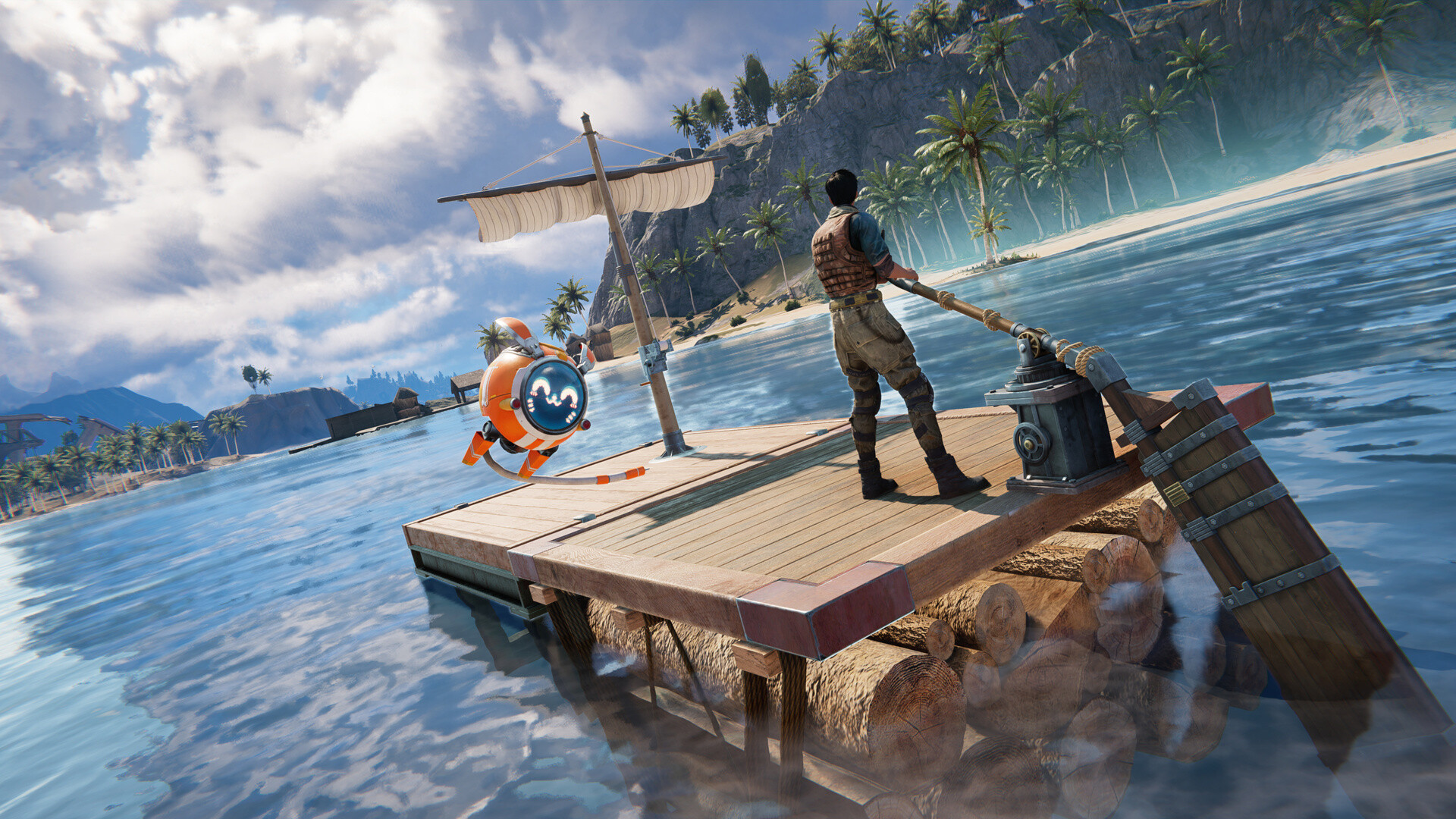
With no separate graphics profile for the expansion, the smartest move is to drop your overall quality preset a notch before your first sail and raise it back up only if performance holds. Ocean scenes constantly render reflections and large open sightlines that a land base doesn't, so a setting that felt comfortable in your old territory can start dropping frames the moment you're a hundred meters from shore with a storm rolling in. If you were running High across the board on land, treat Isles of Abyss as the moment to test Medium shadows and reflections first — you can always push them back up once you've confirmed your frame rate holds on open water.
Storage is worth a second look too. Once Human's official minimum already asks for 100 GB of space with an SSD "highly recommended," and Isles of Abyss adds a full new region's worth of assets on top of what you already had installed. If you're on a mechanical drive, expect longer load times sailing between islands than you're used to on land.
04New Controls: Sailing, Diving, and Ship Combat
The control surface Isles of Abyss asks you to learn is genuinely new, not a reskin of existing movement. Ship propulsion ranges from manual paddling and sail power up through fuel engines and electric drive, each with its own handling, and Starry Studio's own preview describes an Auto Cruise option that lets you mark a route and have the ship follow it rather than holding a heading by hand for minutes at a time on a long crossing. There's also an underwater teleport and a dedicated "return to ship" action for when you've swum or dived too far from your vessel to swim back comfortably.
Combat at sea adds its own layer on top of that. Ships can mount cannon types including Javelin, Harpoon, Long, Rapid-fire, Repeating Long, Shotgun Turret, Frost, and Corrosion guns, with Rocket Launcher, Oil Drum Launcher, Repeating Shotgun Turret, and Freezing Cannon options unlocking later in the scenario's second phase. You can also ram enemy vessels directly or lay Naval Mines in open water. None of that is intuitive from muscle memory built on land combat, so spend a few minutes in a quiet stretch of ocean testing which actions you've bound to which inputs before a hostile ship or a Sunken Lord encounter forces the issue.
Diving gets simpler gear but a real risk-management layer. A Basic Diving Suit protects against lighter contamination, with a Shark Diving Suit as the upgrade for deeper, longer dives, alongside an Oxygen Tank, Inflatable Float, Air Cushion, and Spear Gun. Treat your air supply the way you'd treat stamina in any survival game — know your return route before you commit to the bottom of a dive site, since Isles of Abyss doesn't forgive a miscalculated swim back.
05Setting Up Auto Cruise Before Your First Long Crossing
Because the ocean regions are genuinely large, Auto Cruise is worth configuring the moment you have a ship capable of using it rather than waiting until you're bored of manual steering. Mark your destination, let the route lock in, and you're free to manage inventory, craft, or just watch for other players while the ship handles the heading. It won't steer around hazards for you, so keep an eye on the horizon even with it engaged — a Sunken Lord encounter or a rival crew doesn't pause for your autopilot.
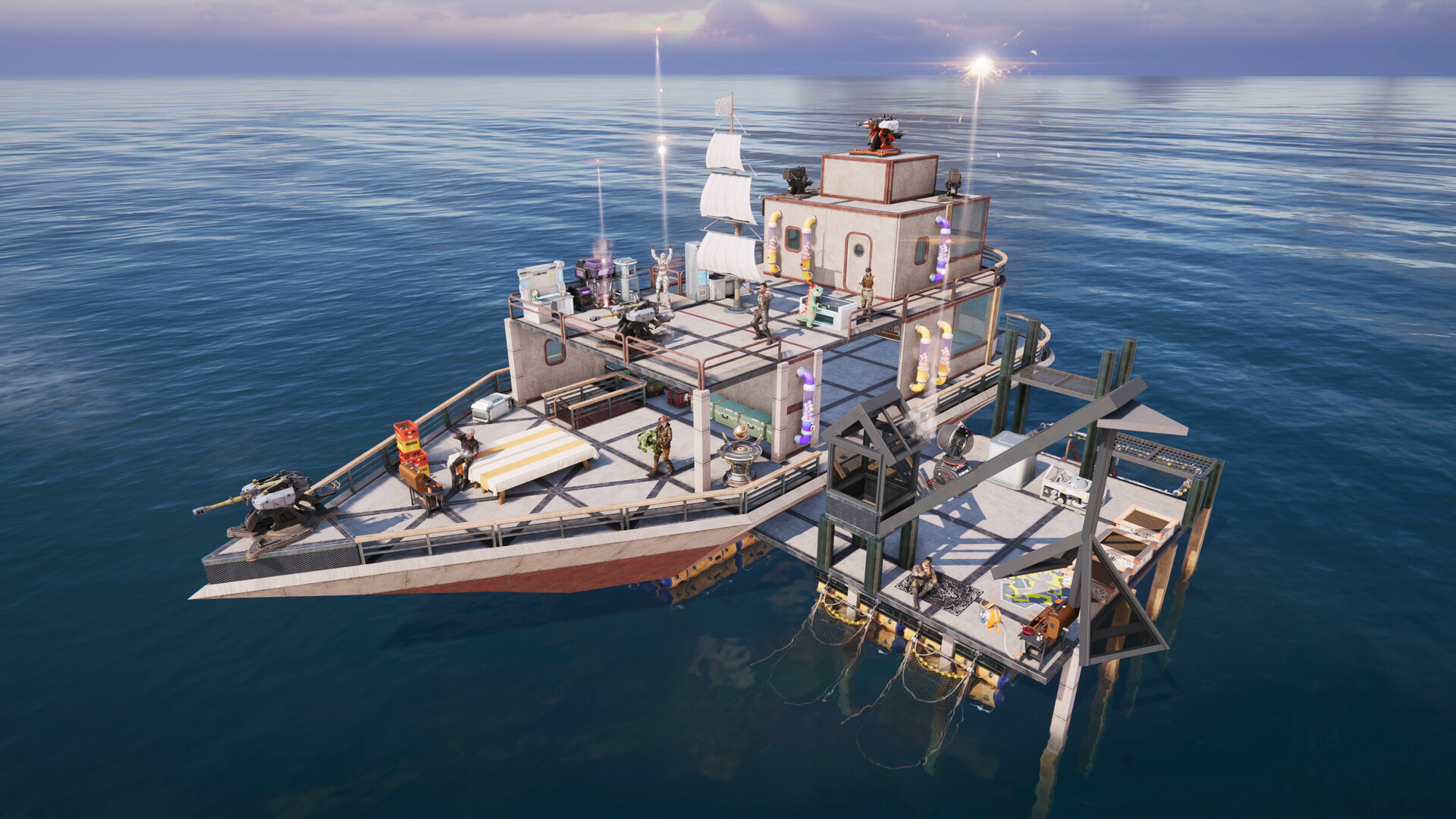
Ship design is also worth settling early rather than mid-crossing. You can freely combine hull, deck, gunwale, and bow pieces in wood, iron, steel, or alloy, save the layout, and summon or relocate the finished ship later. A saved blueprint matters more here than in most building games, because Isles of Abyss confirms that a sunk ship in the PvP RaidZone mode can be resummoned from its blueprint — though whatever supplies were aboard at the time aren't refunded. Build and save a design you're happy with before you load it up with gear you'd hate to lose.
Six Settings to Change Before You Sail
- 1Open Steam's system requirements for Once Human and compare against your rig: Core i5-4460 or better, 8 GB RAM, and a GTX 750 Ti 4G minimum, stepping up to a Core i7-7700, 16 GB RAM, and a GTX 1060 6G for the recommended tier.2 min
- 2Open water renders reflections and long sightlines your old land base never asked for. Lower shadow and reflection quality by one setting, confirm your frame rate holds on open water, then raise it back if you have headroom.2 min
- 3Take a new ship out and cycle through manual, sail, fuel, and electric propulsion plus your cannon triggers in an empty stretch of ocean, not mid-fight. Confirm Auto Cruise and the underwater return-to-ship action are bound somewhere you can reach instantly.5 min
- 4Once you've built or unlocked a ship capable of Auto Cruise, set a destination and let it hold the heading on long trips so you can manage inventory or crafting instead of steering by hand the whole way.2 min
- 5Finalize a hull, deck, gunwale, and bow combination you're happy with and save the blueprint. A sunk ship in RaidZone can be resummoned from its blueprint, but the supplies aboard at the time are not refunded.3 min
- 6RaidZone is a separate PvP mode, not something layered onto the normal sea regions. Switch to it from the upper-left corner of the character sign-in screen, and make sure your whole crew's binds are set before you load in.1 min
06Crossplay and RaidZone Access
If you want the PvP side of the update, note that it's a separate mode rather than something layered onto the regular PvE sea regions. Starry Studio's own preview describes switching into RaidZone Mode from the upper-left corner of the character sign-in screen before you load in, and once there, every player shares one set of waters rather than being split across the 12 worlds per server that the standard PvE scenario uses. Ships in RaidZone have a visible health pool that drops under fire, so if you're bringing a crew in, make sure everyone's settings and keybinds are sorted beforehand — there's no pausing a naval fight to rebind your cannon trigger.
On the crossplay side, Once Human has supported cross-play and cross-progression since its console launch in August, and Starry Studio has said that carries into Isles of Abyss across PC, console, and mobile. If your group spans platforms, it's worth doing a quick voice or text check before you set sail — getting everyone's ship role assigned (helm, gunner, lookout) matters more once you're relying on Auto Cruise and can't just re-walk a hallway to regroup.
07Quick Checklist Before You Set Sail
- Confirm your GPU and CPU clear Once Human's official recommended specs if you plan to spend real time on open water.
- Drop shadow and reflection quality one notch before your first sail, then raise it back if your frame rate holds.
- Rebind or confirm your cannon, dive, and Auto Cruise actions in a quiet stretch of water, not mid-fight.
- Save a ship blueprint you're happy with before loading it with gear, especially if you're heading into RaidZone.
- Check your Cradle-free, max-level starting state so you're not hunting for progression systems that simply aren't in this scenario.
FAQ
What are Once Human's official PC system requirements?
Steam lists a minimum of a Core i5-4460 or Snapdragon X processor, 8 GB RAM, and a GTX 750 Ti 4G or Radeon RX 550, with DirectX 11 and 100 GB storage. The recommended tier calls for a Core i7-7700 or Snapdragon X2 Elite, 16 GB RAM, a GTX 1060 6G, Radeon RX 580, or Intel Arc A380, and DirectX 12.
Does Isles of Abyss need a better PC than the base game?
Starry Studio hasn't published separate hardware requirements for the expansion, so the base game's official specs are still your reference point. Open-ocean rendering and ship combat are a heavier load than most land scenarios, so treat the recommended column as the real target rather than the minimum.
Can PC players sail with friends on console or mobile?
Yes. Once Human has supported cross-play and cross-progression since its console launch in August, and Starry Studio has said that carries over into Isles of Abyss across PC, console, and mobile.
What happens to my character level and Cradle progress in this scenario?
Characters start the Isles of Abyss scenario at max level, and the Cradle system is not available here. Progression during the event runs through the Tech system instead.
How do I access the RaidZone PvP mode?
Switch to RaidZone Mode from the upper-left corner of the character sign-in page before you load in. It shares one set of waters across all players rather than splitting them across the standard scenario's 12 worlds per server.
Official resources

Ana writes the step-by-step tutorials: settings, controls, configs and the systems games never explain properly. Every tutorial is tested on the version named at the top of the page, with the official patch notes linked so you can check what changed.