VALORANT Patch 13.08: Best Settings for the New Map Pool
VALORANT's Patch 13.08 swaps in Bind and Corrode for Act 6. Here's how to adjust your crosshair, minimap and video settings for the new map pool.
VALORANT's Patch 13.08 landed on October 13, 2026, kicking off Act 6 (internally branded V26) with a map pool swap, a brand-new Map Rating system, and a reworked Corrode. None of it touches your settings file directly, but it changes enough about how you see and play the game that your old crosshair, sensitivity and HUD setup is worth a second look before you queue into Competitive. Here's what actually shipped, and what to check on your end before your first ranked game on the new pool.
01What's New in Patch 13.08
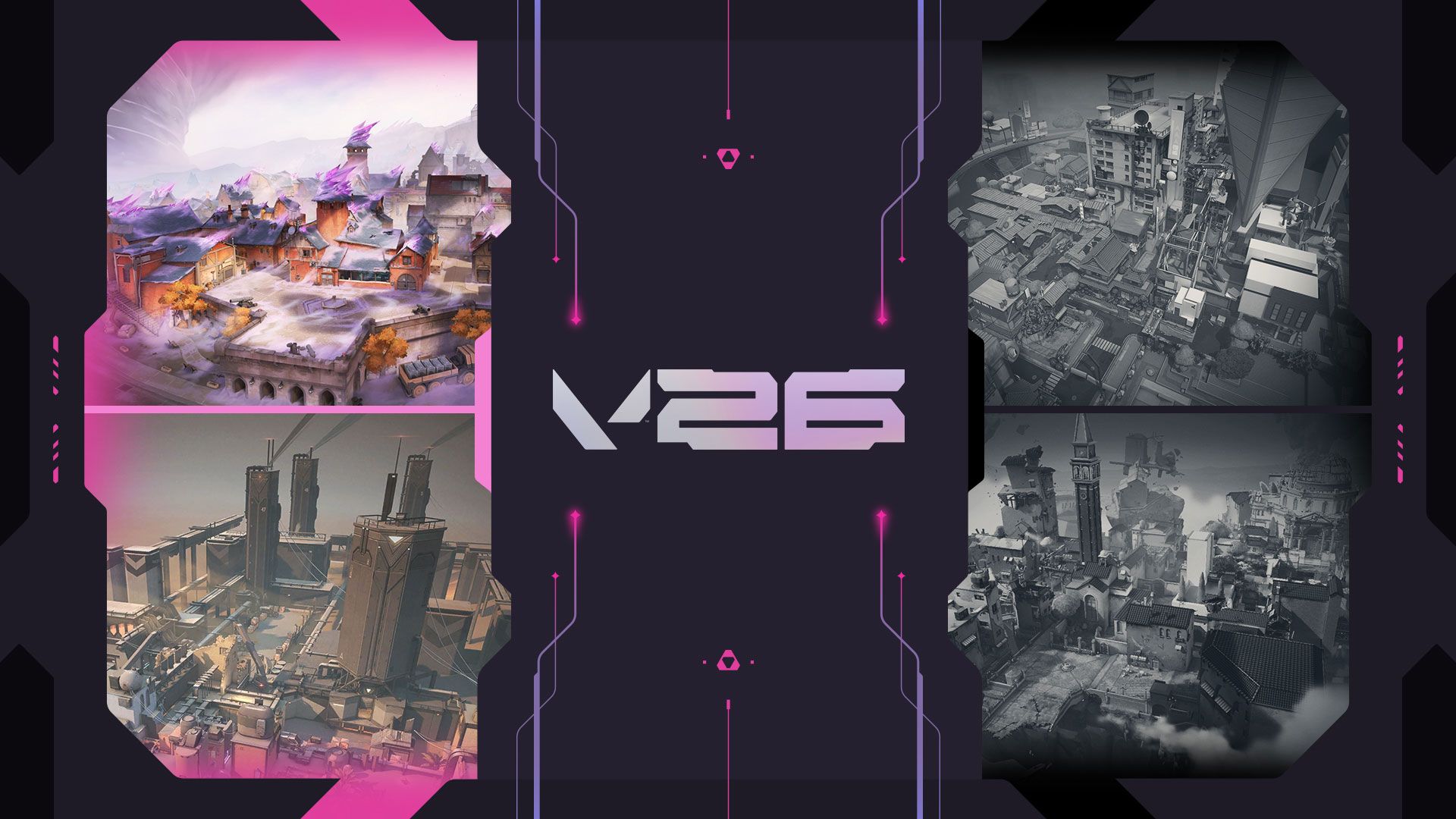
The headline change is the Competitive and Deathmatch map pool rotation: Bind and Corrode are back in, Ascent and Split are out. Riot also shipped a new Map Rating feature for Competitive and Premier, giving every map you play a 0-to-500 score and a C-to-S letter grade, built from your overall win rate, attacker win rate, defender win rate and Performance Score. It only counts matches from here on, your history doesn't carry over, and only you can see your own rating — it shows up in Agent Select, the End of Game screen and your Career tab.
Performance Score itself, which has been live since Patch 13.06, got another pass in 13.08: damage, Adjusted Kills and Adjusted Deaths now carry more weight, and Chamber gets agent-specific adjustments to better reflect his utility usage. Riot says it now matches Match MVP to the ACS leader about 70% of the time, which the patch notes describe as in line with what they expected. There's also a new Queue and Mode Select screen for matchmade and custom games, plus a navigation bar in Career linking out to Rank Legacy, Accolades and the new Map Rating tab.
02Corrode's Reworked Mid and Sites
If you haven't played Corrode since before 13.08, don't walk in expecting the same map. Riot adjusted the Defender paths into the back of both A Site and B Site specifically to speed up rotations and retakes, which changes how fast a defender can respond to a hit site compared to what you might remember.
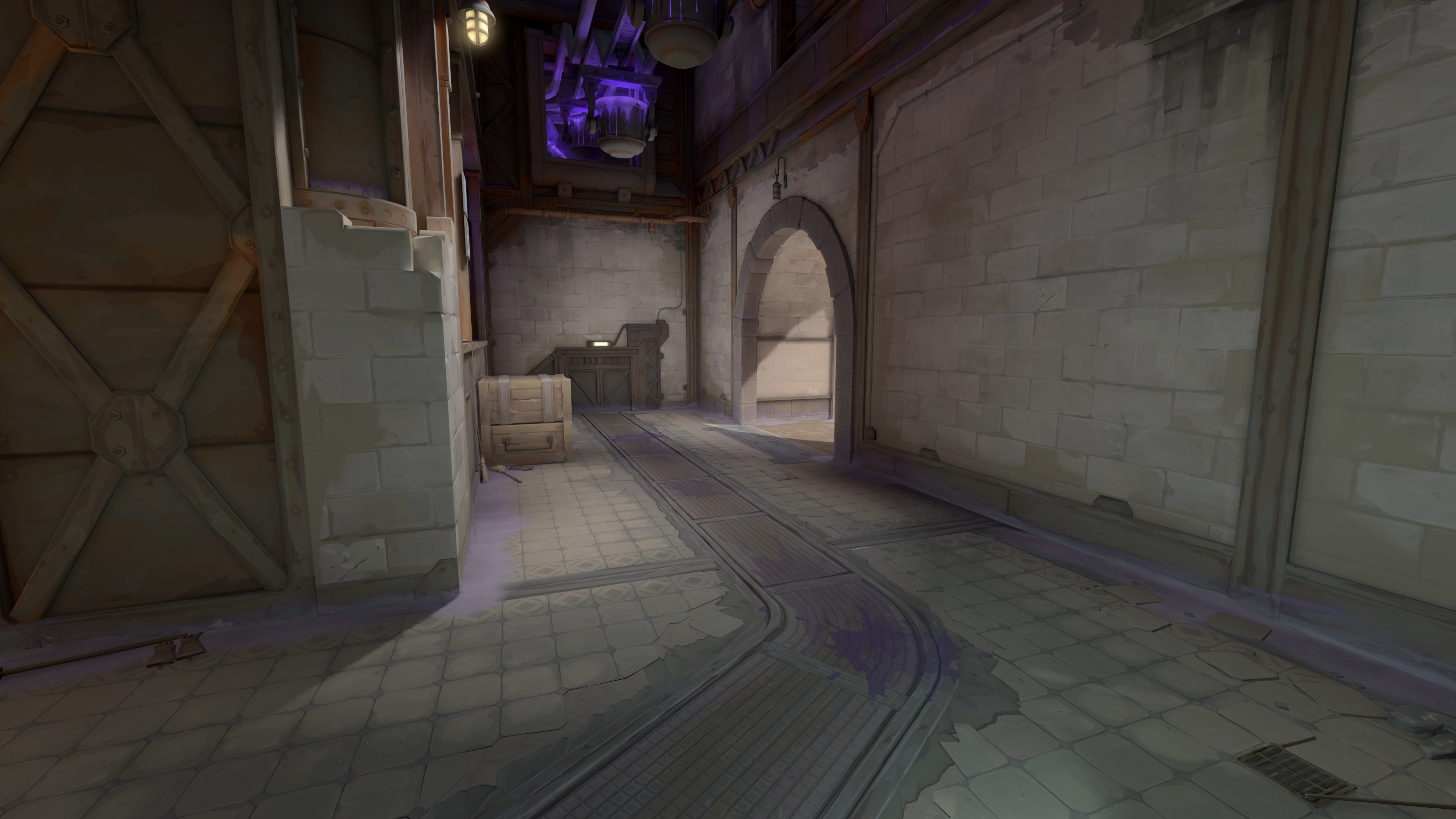
Mid got the bigger overhaul. The half wall is now metal instead of the old material and has been moved a full meter out, the boxes at the back of Lower Mid were shifted toward B with a new jump-up added, and the Lower Mid wall itself was raised to stop players peeking over it from the relocated boxes. The A Site plant zone was also adjusted specifically to make post-plant holds from A Link weaker than before.
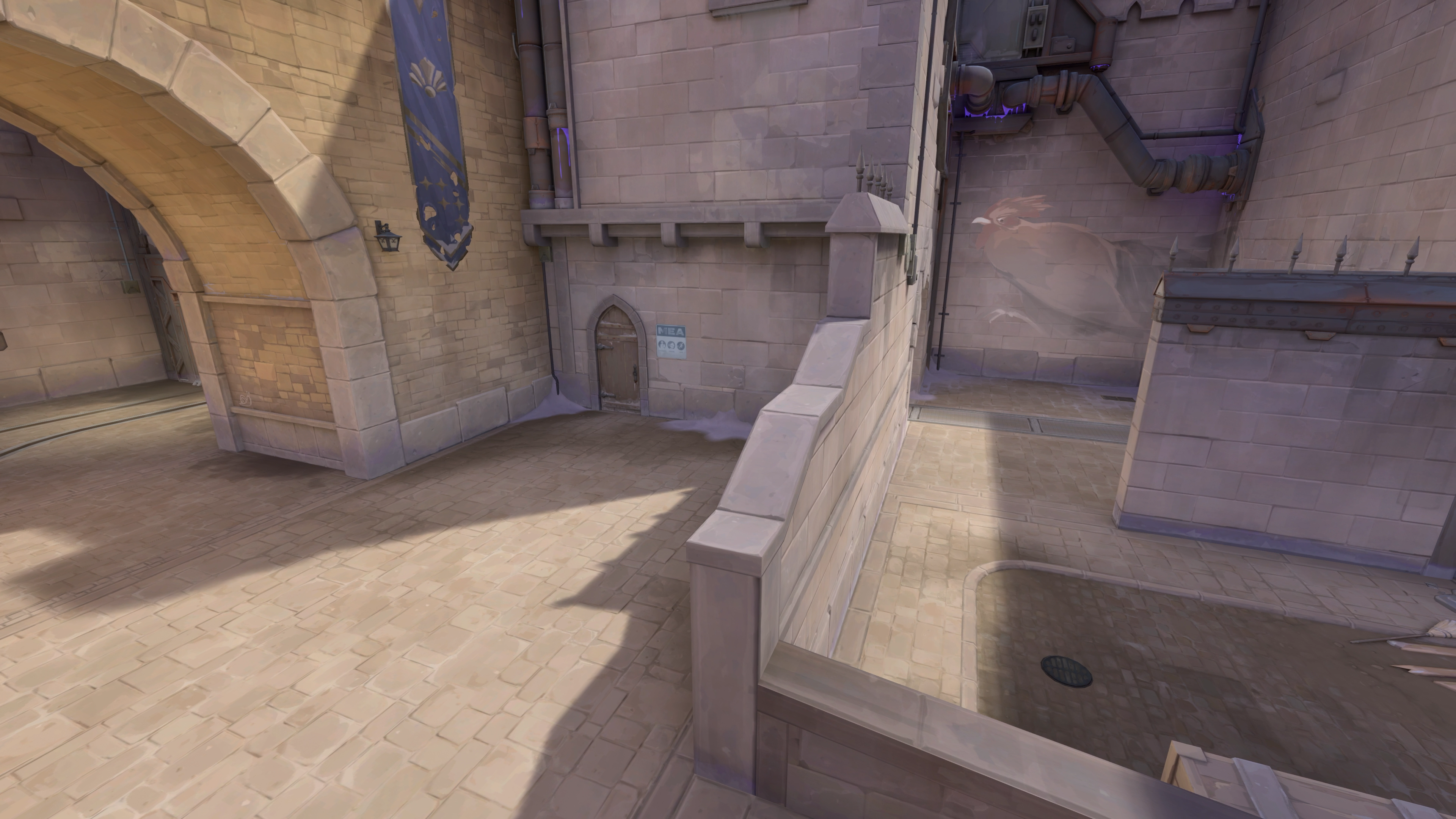
Every one of those is a line-of-sight or positioning change, which means any crosshair placement habits, lineups or utility throws you had memorized for the old Corrode are at best partially wrong now. Treat your first few rounds back as a relearning pass rather than a victory lap.
03Bind Settings: Old Map, New Context
Bind re-enters the Competitive and Deathmatch pool alongside Corrode, and the patch notes don't list any layout changes to Bind itself — it's the same map you knew before Ascent and Split pushed it out of rotation, not a reworked version. That's good news if you already had lineups and crosshair placements dialed in, but if it's been a while, it's worth running a few Deathmatch rounds there before Competitive to refresh muscle memory for its teleporters and tight corners rather than assuming nothing has moved.
04Confirm Vanguard and Your Client Are Fully Updated
A new Act is also a good prompt to make sure you're not carrying over a stale install. VALORANT won't let you queue on an outdated client, but Vanguard occasionally needs a restart after a Windows update to reinitialize properly, and a driver update since your last session can sometimes trigger a Vanguard reboot prompt the first time you launch. If you haven't opened the game in a few weeks, launch it a little early before your first Competitive match of Act 6 rather than right at your ready-check, so you're not troubleshooting a Vanguard restart mid-queue.
It's also worth a quick look at your graphics driver version if you haven't updated recently. 13.08 didn't change VALORANT's minimum requirements, but Corrode's reworked geometry adds extra visible detail in Mid and around the boxes near B, and an outdated driver is a more common cause of stutter on a geometry-heavy map than people expect.
05Console Players: Aim Assist and Controller Checks
VALORANT is also live on PlayStation 5 and Xbox Series X|S, and nothing in Patch 13.08 touches controller-specific options directly — there's no new aim assist slider or response curve tied to this update. But the same underlying logic applies to controller players as it does to mouse and keyboard: Corrode's shortened Defender rotation paths and raised Lower Mid wall change where fights actually happen, and Bind's teleporters reward fast, deliberate aim assist tracking over the old Ascent and Split sightlines you might be used to. If your aim assist window and response curve were tuned around long-range duels on the outgoing maps, it's worth running a few Deathmatch rounds on Bind and Corrode to see whether your current curve still feels right at the closer ranges both maps favor, rather than assuming your config carries over untouched.
06Crosshair and Sensitivity Checks for the New Pool
None of this requires new settings, but it's a good prompt to open your Crosshair tab and sanity-check things you might not have touched in a while. If you run a static dot crosshair sized for long Ascent and Split sightlines, Corrode's tighter reworked Mid and Bind's close-quarters teleporter rooms reward a slightly smaller, higher-contrast crosshair that doesn't block close targets. If you play with separate ADS or sniper scope settings, double check those too — Corrode's new Lower Mid geometry opens up a few box-to-box peeks that didn't exist before.
Sensitivity is more about consistency than the patch itself: if you haven't changed your eDPI in months, 13.08 isn't a reason to start experimenting now. But it is a good checkpoint to confirm your in-game sensitivity still matches whatever you've got saved in your mouse software, especially if you've swapped peripherals since your last VALORANT session.
07Minimap and Video Settings Worth a Second Look
The Minimap tab controls rotation mode, whether your player icon stays centered, minimap size and zoom, and whether vision cones and region names are shown — all useful to revisit on a map you haven't played in a while, since Corrode's new rotation paths change what you actually need to track at a glance. If you keep your minimap small or zoomed out, Lower Mid's new boxes and jump-up are easy to miss on a quick glance until you've played it a dozen times.
In Video, it's worth confirming your resolution, display mode and aspect ratio are still set the way you want, especially if you've updated your GPU driver since Vanguard's last major update. None of that changed in 13.08, but a fresh Act is as good a prompt as any to make sure your frame rate and visibility settings are still where you left them before a season of ranked grinding.
Pre-Match Settings Checklist for Act 6
- 1Patch before you queue and give Vanguard time to restart if it prompts you, rather than troubleshooting it at ready-check.5 min
- 2Confirm your crosshair size and color still work for Corrode's tighter reworked Mid and Bind's close-quarters teleporter rooms.3 min
- 3Bump your minimap size or zoom if it's set small — Corrode's relocated Lower Mid boxes and new jump-up are easy to miss at a glance.2 min
- 4Bind's layout didn't change, but a few warm-up rounds refresh your memory for its teleporters before you take it into Competitive.10 min
- 5Play a few rounds on defense to feel out the faster rotation routes into A Site and B Site before relying on them in a ranked game.10 min
- 6Confirm resolution, display mode and aspect ratio are still set correctly, especially if you've updated your GPU driver recently.2 min
- 7Check your Career tab after a few matches to see your starting Map Rating on Bind and Corrode — it won't reflect your old history.2 min
08Reading Your New Map Rating and Performance Score
Map Rating is purely informational — there's no setting to toggle it off or on beyond visiting the tab, and it won't change matchmaking. What's worth knowing is that it resets clean: your years of Ascent or Split history don't feed into your Bind or Corrode rating, so don't expect an S grade on day one even if you were strong on the outgoing maps. Because Performance Score weighs Damage, Adjusted Kills and Adjusted Deaths more heavily now, players who play for trades and entry damage rather than pure kill count should see their Match MVP standing track more closely with what the scoreboard actually shows.
If your first few games on Bind or Corrode under 13.08 feel unfamiliar, that's expected — Riot built this patch specifically to shake up the map pool and reward players who adapt their positioning and crosshair habits to the new geometry rather than relying on muscle memory from the outgoing maps.
FAQ
When did VALORANT Patch 13.08 release?
Patch 13.08 went live on October 13, 2026, marking the start of Act 6 (V26).
Which maps changed in the Competitive map pool?
Bind and Corrode were added to the Competitive and Deathmatch pools, while Ascent and Split were removed from both.
What is Map Rating and can I turn it off?
Map Rating is a new 0-to-500 score with a C-to-S letter grade based on your win rates and Performance Score on each map. It's informational only, visible only to you in Agent Select, End of Game and Career, and there's no setting to disable it beyond simply not checking the tab.
Did Bind's layout change in 13.08?
No. The patch notes list layout changes for Corrode, but none for Bind — it returns to the pool in the same form it left in.
Do I need to change my settings for Patch 13.08?
Nothing is forced. But Corrode's reworked Mid, sites and rotations, plus Bind's return after time away, make it a good moment to double-check your crosshair, minimap and video settings rather than assuming your old config is still optimal.
Official resources

Ana writes the step-by-step tutorials: settings, controls, configs and the systems games never explain properly. Every tutorial is tested on the version named at the top of the page, with the official patch notes linked so you can check what changed.