Cyberpunk 2077 Update 2.5 Guide: Dual-Wielding and Glamdocs
Cyberpunk 2077's free Update 2.5 adds dual-wielding, Glamdocs cyberware customization and the Clampdown side quest. Here's how to unlock each one.
Update 2.5, CD Projekt Red's free "Edgerunners 2 Update" for Cyberpunk 2077, landed on October 22 on PC, Mac, PS5 and Xbox Series X|S, with a Nintendo Switch 2 release confirmed to follow. It's built around the launch of Cyberpunk: Edgerunners season two on Netflix, and it hands V three genuinely new systems to play with: a dual-wielding playstyle, a way to restyle your hand cyberware, and a prequel side quest tied directly to the anime. None of it requires a New Game, and none of it is locked behind a paid expansion — everything below drops straight into an existing save the moment you patch up.
A couple of the unlocks are gated behind specific perks and gigs rather than just showing up, though, so if you've booted in and can't find the new quest or the dual-wielding option yet, that's expected. Here's exactly how to get into each piece of it, in the order most players will actually hit it.
01What's New in Update 2.5
CD Projekt Red's official patch notes split the update into five pieces worth knowing about before you boot in. Dual-wielding lets you run two Power-category pistols or revolvers at once through a new perk in the Cool skill tree. Five new "Glamdocs" let you restyle the look of your hand cyberware. A new side quest called Clampdown is set before the events of Edgerunners 2 and rewards a five-piece gear set. Cross-platform mod support now runs through mod.io directly from the in-game menu. And a new in-fiction radio station, HKGN 102.0 FM, plays tracks pulled from both seasons of the anime.
It's a free update for everyone who already owns the game — there's no separate purchase or DLC gate on any of this, including the new quest and gear.
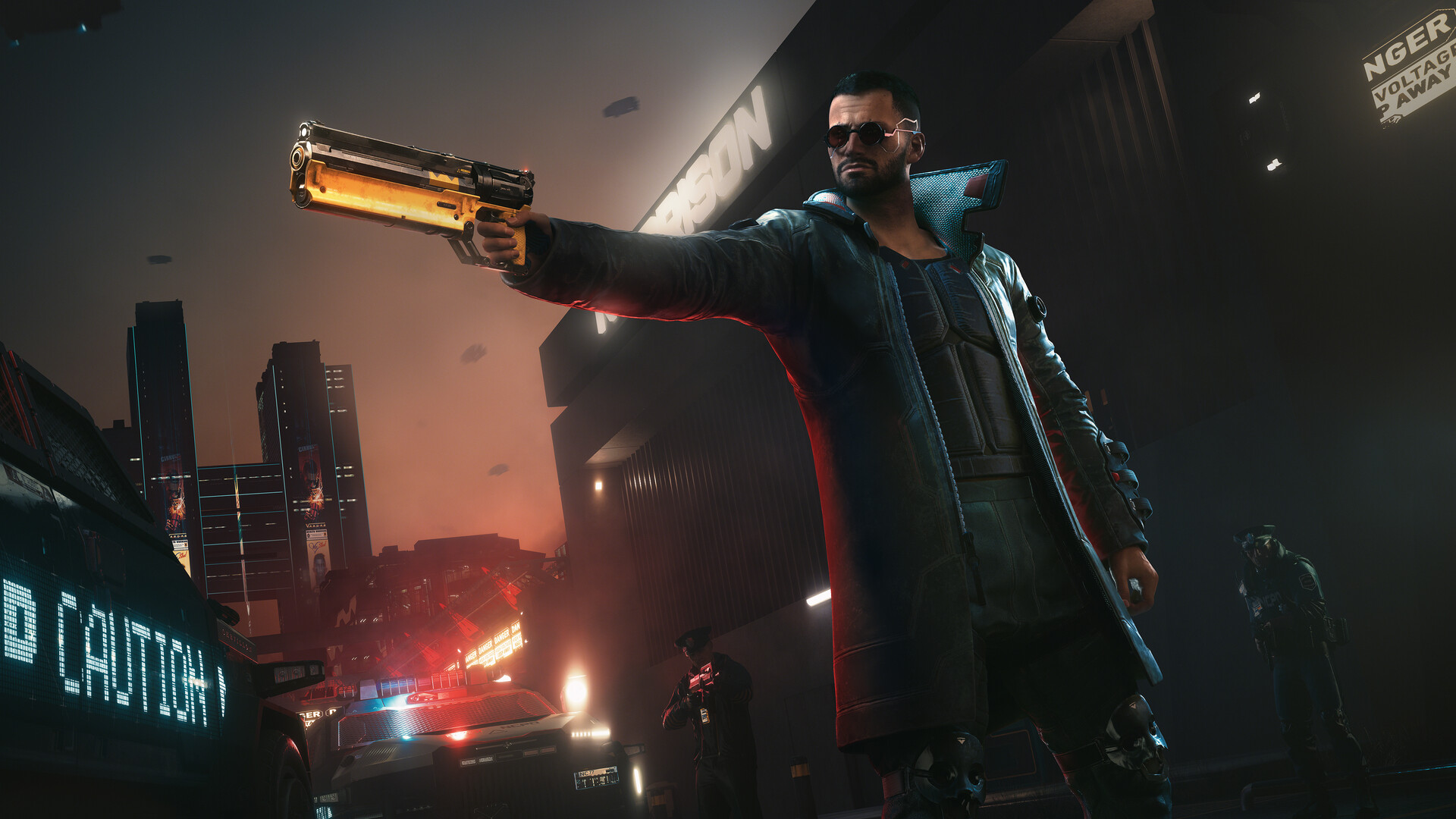
02How to Unlock Double Trouble and Dual-Wield Pistols
The headline feature is a perk called Double Trouble, sitting in the Cool skill tree alongside four smaller auxiliary perks that build on it. Once you've put a point into it, V can equip a Power-category pistol or revolver in each hand and fire both together — CD Projekt Red's notes are specific that this only applies to the Power weapon class, so Tech and Smart handguns are not part of the dual-wielding kit in this update.
In practice that means your build needs a free perk point and enough progress in Cool to reach Double Trouble's row in the tree. If you're mid-playthrough and have been dumping points elsewhere, respeccing a few points back into Cool is the fastest route — there's no separate quest or vendor purchase involved. Once it's active, holster swaps and reload animations change to reflect the two-gun stance, and the update adds a handful of Photo Mode poses built specifically around showing it off.
The four auxiliary perks attached to Double Trouble round out the playstyle with bonuses tied to running two guns instead of one, so it's worth reading each perk's tooltip in the menu rather than assuming they're purely cosmetic unlocks.

03Why Dual-Wielding Is Limited to Power Weapons
Cyberpunk 2077 has always split ranged weapons into three categories — Power, Tech and Smart — and that structure is exactly why Double Trouble only works with half the guns in your inventory. Power weapons are the straightforward, hard-hitting category: no charge-up, no smart-targeting homing rounds, just high base damage and noticeably sharper recoil than the other two classes. Tech weapons can punch through walls and cover when charged, and Smart weapons fire tracking rounds that curve toward a locked target, and CD Projekt Red's patch notes don't extend dual-wielding to either of those categories in this update.
If your current loadout leans on a Tech revolver or a Smart pistol because you built around their specific gimmick, you'll need to swap to a Power-category sidearm to make use of the new perk — switching categories won't break a build around Cool and Reflexes, since both stats already govern handgun and revolver performance generally, but it's worth checking your inventory's weapon tags before assuming any pistol will slot into the new stance.
04Customizing Your Cyberware at the Glamdocs
If you're running Mantis Blades, Gorilla Arms, a Monowire or the Projectile Launch System, Update 2.5 gives you a reason to visit a new kind of vendor. Five Glamdocs are now scattered around Night City, each marked on the map with a spray-paint icon. Walk into one with the relevant cyberware equipped and you'll get a fully voiced, animated introduction specific to that shop, followed by a catalog of skins and color options for whichever piece of hand cyberware you're wearing.
This is purely cosmetic — it doesn't touch stats, mod slots or your character build — but it's the first time the game has let you restyle that specific category of cyberware rather than just swapping it for a different tier. Since each Glamdoc has its own intro and its own stock, it's worth checking more than one if the first shop's options don't match what you're going for.
It's also a good excuse to actually look at your arms for once. Mantis Blades and Gorilla Arms especially tend to get installed early and then ignored for the rest of a playthrough because the base look is fine and there's been no reason to touch it — Update 2.5 is the first time changing that look doesn't mean uninstalling the cyberware and shopping for a different legendary variant from a Ripperdoc instead.
How to Unlock Everything in Update 2.5
- 1Launch Cyberpunk 2077 and let it install Update 2.5, which rolled out automatically on PC, Mac, PS5 and Xbox Series X|S on October 22 (Switch 2 follows separately).2 min
- 2Open the perk menu and spend a point in the Cool skill tree to unlock Double Trouble, the perk that enables dual-wielding.1 min
- 3Swap to a Power-category pistol or revolver in both weapon slots — Tech and Smart handguns don't support the dual-wield stance.2 min
- 4Equip Mantis Blades, Gorilla Arms, a Monowire or the Projectile Launch System, then look for a spray-paint icon on the map — that marks a Glamdoc.5 min
- 5Walk into the Glamdoc for its voiced intro, then browse its catalog of skins and colors for whichever cyberware you have equipped.3 min
- 6Progress the main job The Heist and complete two gigs from fixer Wakako Abernathy to put the Clampdown quest on track to unlock.varies
- 7Check your messages after finishing those gigs — Wakako will reach out to kick off the Clampdown side quest.varies
- 8Open the in-game menu's mod browser to install a curated mod on PC or console, keeping in mind achievements and trophies turn off on a modded save.5 min
05How to Start the Clampdown Side Quest
Clampdown is the new side quest, and it's deliberately gated so it lines up with the anime's timeline rather than popping up the moment you load in. According to CD Projekt Red's patch notes, you unlock it by completing the main job The Heist and finishing two gigs for the fixer Wakako Abernathy, then waiting for her to send you a message. There's no map marker before that trigger fires, so if Clampdown isn't showing up for you, the fix is almost always "do another Wakako gig" rather than anything broken.
The quest is set before the events of Edgerunners 2 and ties into the show's cast rather than retelling it, and finishing it unlocks a five-piece gear set based on the character King. Because it leans on Wakako's gig line specifically, players who've been ignoring her board in favor of other fixers will have the most catching up to do before the quest appears.
That gating also means Clampdown isn't something you can rush into on a brand-new character just to see the new content — The Heist is a fairly early main job, but you still need two completed gigs from Wakako on top of it, and her gig board doesn't unlock until a certain point in the story either. Treat it the way you would any other fixer-specific side job: progress the main story and pick up her gigs as they appear, and the message triggering Clampdown will show up on its own.
06Mod Support, New Gear and Everything Else
The other headline addition is cross-platform mod support through mod.io, accessible straight from the in-game menu on PC, Mac, PS5, PS5 Pro, Xbox Series X|S and the upcoming Switch 2 version. You can browse and install a curated selection of player-made mods without leaving the game, and CD Projekt Red says more will be added over time. The one console-specific catch: achievements and trophies are disabled while you're playing from a save that has mods installed, and modded saves carry a visible icon in the Load Game menu so you can't lose track of which is which.
Update 2.5 also adds five new outfit sets sold through specific clothing vendors — Maxiwear in Heywood, Arroyo and Little China; Jinguji in City Center; NetWatch in Kabuki and Japantown; and IconAmerica across Pacifica, Badlands and Northside, with one more set confirmed for a later date. The NUS Infiltrator outfit, previously tied to a specific vendor, is now sold in both Kabuki and Japantown, and four TWINTONE skins for the Quadra Turbo-R V-Tech are available through Twitch Drops. Stack that against the dual-wielding perks, the Glamdocs and Clampdown's King set, and this is one of the denser free content drops Night City has had in a while — all of it live now with no separate purchase required.
The mod.io integration is arguably the bigger structural change of the two. Modding Cyberpunk 2077 has mostly been a PC-only habit up to now, built around manually dropping files into the right folders — bringing a curated, in-menu browser to console changes who can realistically use mods at all, even with the achievement trade-off attached. If you've avoided mods purely because of the setup involved, this update removes that barrier entirely, provided you're fine giving up trophies on that particular save.
07Should You Jump Back In for Update 2.5?
If you've already finished the main story and cleared Wakako's gigs, this is a clean reason to reopen a save: the dual-wielding perks and Glamdocs are available immediately, and Clampdown should trigger the moment you check in on her. If you're still early in a playthrough, there's no rush — none of this content is time-limited the way a seasonal event would be, so it'll still be waiting once you've built up enough reputation with Wakako to see the new quest unlock naturally.
Either way, the update is a reminder that CD Projekt Red is still treating Cyberpunk 2077 as a live platform almost six years after launch rather than a closed book. None of the headline features here were things players had been specifically requesting — dual-wielding and cosmetic cyberware customization are new systems, not community-voted fixes — which makes it worth checking back on Night City even if you walked away satisfied the last time you rolled credits.
FAQ
What weapons can I dual-wield in Cyberpunk 2077's Update 2.5?
Only Power-category pistols and revolvers. Tech and Smart handguns aren't part of the dual-wielding feature in this update.
How do I unlock the Clampdown side quest?
Complete the main job The Heist and finish two gigs for the fixer Wakako Abernathy, then wait for a message from her.
Is Update 2.5 a paid expansion?
No. It's a free update for everyone who owns Cyberpunk 2077, including the new quest, gear and radio station.
Do mods disable achievements in Update 2.5?
On console, yes — any save with mods installed loses achievement and trophy tracking, and modded saves show a distinct icon in the Load Game menu.
When is Update 2.5 coming to Nintendo Switch 2?
CD Projekt Red confirmed a Switch 2 release is coming but hasn't given it a specific date; it launched October 22 on PC, Mac, PS5 and Xbox Series X|S first.
Official resources

Jonas runs the guides desk at Tutorial.Games. He replays every route, build and boss strategy on the current patch before it goes up, and re-checks it when the developer ships a balance update. Soulslikes, co-op action games and anything with a build planner.