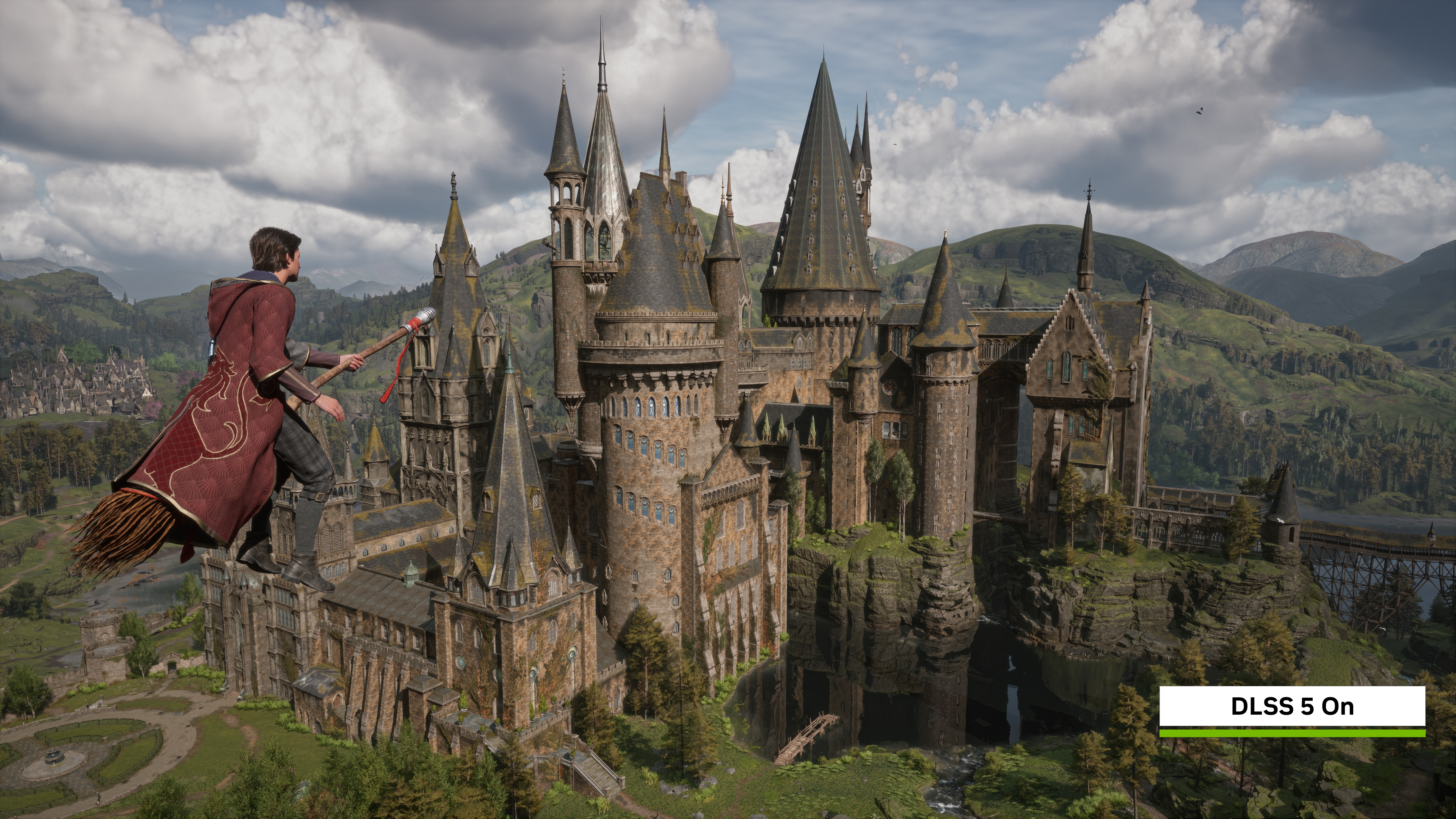
Hogwarts Legacy: Best PC Settings for DLSS 5 Neural Rendering
Hogwarts Legacy's November 5 update adds NVIDIA DLSS 5 Neural Rendering on RTX 50 GPUs. Here's exactly how to turn it on and tune every setting.
Hogwarts Legacy's November 5, 2026 update turned into one of the biggest PC graphics patches the game has had since launch — if you own a GeForce RTX 50 series card. The headline feature is DLSS 5 3D-Guided Neural Rendering, an AI pass that reworks a scene's lighting, shadows and material detail on top of the upscaling and frame generation the game already supports. Here's exactly what it changes, which GPUs actually qualify, and how to set everything up so you're not leaving performance on the table.
01What DLSS 5 Neural Rendering Actually Changes
Neural Rendering isn't a new upscaler and it doesn't replace DLSS Super Resolution or Multi Frame Generation. It's an additional pass that sits on top of them, using an AI model to infer more realistic lighting and material behavior for the scene you're standing in rather than just sharpening what's already there. NVIDIA's own side-by-side comparisons from Hogsmeade show it sharpening roof textures, adding physical depth to creeping moss on the shingles, and strengthening local contrast across stone walls that otherwise look flat under the base renderer.
The model behind it is also newer and lighter than the version NVIDIA originally demoed earlier this year. An October update to the underlying DLSS 5 model roughly halved the GPU time it needs to run, which is part of why Avalanche Software was comfortable shipping it into a three-year-old game instead of reserving it for a brand-new release. In practice that means Neural Rendering costs less of your frame budget than you'd expect from an extra AI pass layered on top of upscaling, frame generation and ray reconstruction all at once.
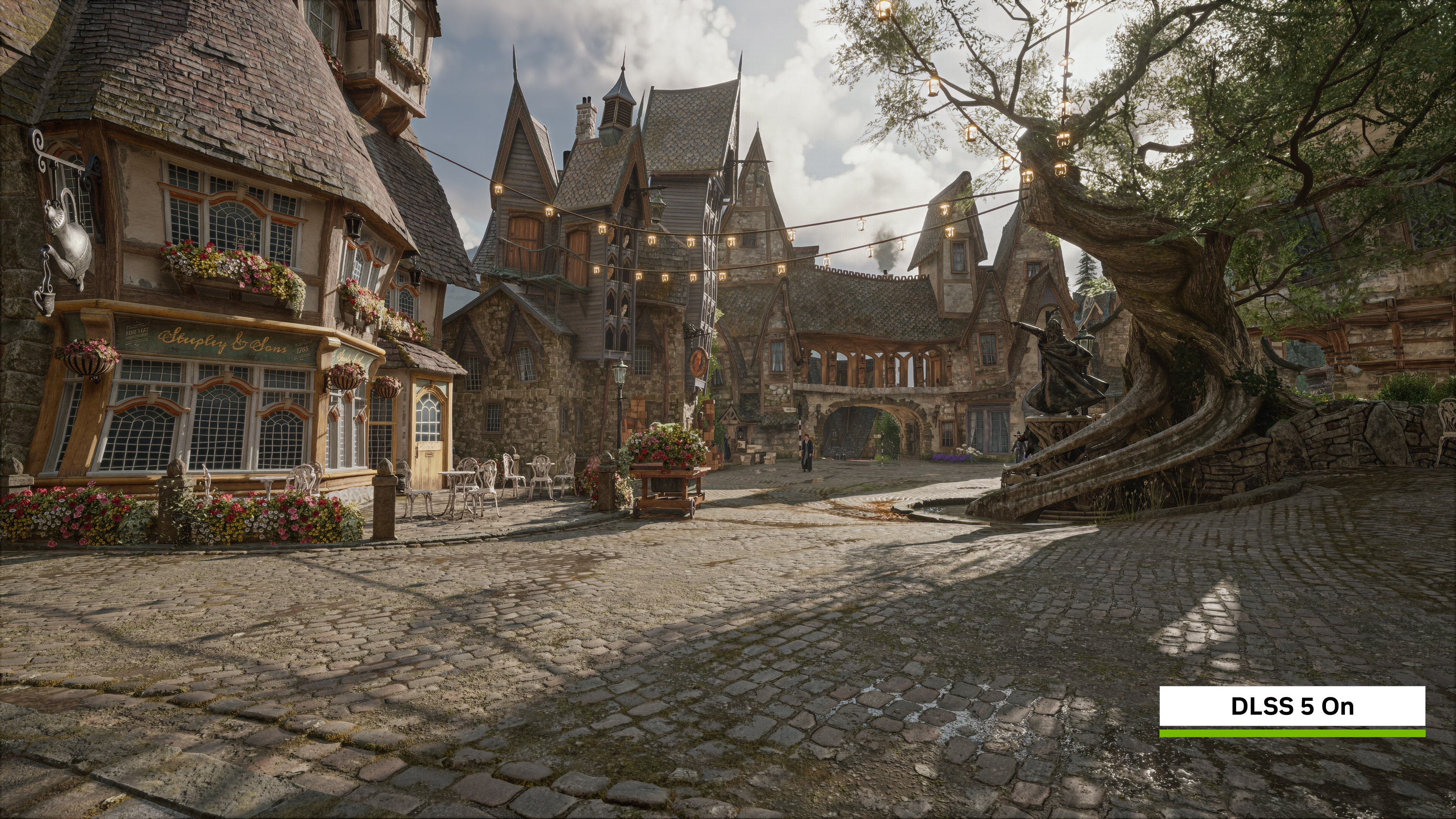
Avalanche Software says the goal was to enhance the look of Hogwarts Legacy without changing its art direction or how characters are supposed to read. Jose Villeta, the studio's Director of Software Engineering, put it this way when NVIDIA announced the update:
“The team at Avalanche Software worked closely with NVIDIA to add DLSS 5 Neural Rendering technology into Hogwarts Legacy for PC to ensure the best visual results while maintaining our artistic intent. This allowed us to iterate and tune environments, tone and skin structural parameters in a manner that keeps the game true to the original vision.”Jose Villeta, Director of Software Engineering, Avalanche Software
02Which GPUs Support It (and Which Don't)
This is the part that trips up most players: DLSS 5 Neural Rendering in Hogwarts Legacy only runs on GeForce RTX 50 series desktop and laptop GPUs, RTX Spark PCs, or through GeForce NOW Ultimate streaming. If you're on an RTX 40 series card, an RTX 30 series card, or anything older, the toggle either won't appear or won't do anything locally — your only officially supported path right now is streaming the game through GeForce NOW Ultimate, which runs the RTX 50-class experience on NVIDIA's own hardware regardless of what's inside your PC.
That split matters more than usual here because Hogwarts Legacy already runs DLSS Super Resolution, Multi Frame Generation and Ray Reconstruction across the whole RTX lineup going back several generations. Neural Rendering is the first feature in the game's settings menu that's exclusive to current-generation hardware, so don't assume that because your card handles everything else fine, it'll also show the new toggle.
If all you want is the setting flipped and nothing else, keep the short version of just switching it on bookmarked for later — we're covering the full settings pass here, GPU requirements included, plus everything else worth changing alongside it.
03How to Turn On DLSS 5 Neural Rendering in Hogwarts Legacy
Once you've confirmed your hardware qualifies, enabling it takes less than five minutes. NVIDIA's own instructions are short: download the update, open the in-game options, and flip the Neural Rendering switch. The rest of the steps below cover getting the surrounding settings right so the feature actually performs the way NVIDIA's benchmarks suggest it can, instead of just turning it on and leaving everything else at whatever you last had it set to.
How to Turn On DLSS 5 Neural Rendering in Hogwarts Legacy
- 1Install Hogwarts Legacy's November 5, 2026 update through your PC storefront, then install NVIDIA's November 4 Game Ready Driver so the new DLSS 5 model is actually present on your system.2 min
- 2DLSS 5 3D-Guided Neural Rendering only runs on GeForce RTX 50 series desktop and laptop GPUs, RTX Spark PCs, or GeForce NOW Ultimate streaming. RTX 40 series and older cards can't enable the option locally.1 min
- 3Launch Hogwarts Legacy, open Options, then go to the Graphics tab.30 sec
- 4Find the new Neural Rendering toggle and switch it on. This applies DLSS 5's AI lighting and material pass to the whole scene you're in.30 sec
- 5Under Upscale Type, choose DLSS and pick a quality mode. Quality or Balanced is the safest starting point at 1440p or 4K.1 min
- 6Switch Frame Generation to DLSS Multi Frame Generation to multiply your base frame rate on top of the upscaler.30 sec
- 7If any ray-traced effects are enabled, also flip on DLSS Ray Reconstruction so the denoiser matches the new Neural Rendering pass.30 sec
- 8Set Low Latency Mode to NVIDIA Reflex, or Reflex + Boost if available, to offset the extra input latency frame generation adds.30 sec
04The Rest of Your Settings: Frame Gen, Ray Reconstruction and Reflex
Neural Rendering doesn't work in isolation — it's part of a wider stack of DLSS features Hogwarts Legacy now supports in full. Under Upscale Type, DLSS Super Resolution is still doing the heavy lifting on resolution, and a Quality or Balanced preset is the safest starting point at 1440p or 4K before you push for higher frame rates. Dropping to Performance mode will net you more FPS, but on a game with as much fine texture detail as Hogwarts Legacy's castle interiors, it's noticeably softer, and it undercuts some of what Neural Rendering is adding in the first place.
Frame Generation should be set to DLSS Multi Frame Generation, which is what lets NVIDIA's benchmark numbers climb as high as they do. If you've got any ray-traced effects turned on — reflections, shadows, or global illumination — also enable DLSS Ray Reconstruction, since its denoiser is built to work alongside the new Neural Rendering pass rather than against it. Running ray tracing without Ray Reconstruction on a scene that also has Neural Rendering enabled is the one combination that tends to introduce visible shimmer around moving foliage and torchlight.

The one setting that's easy to skip and shouldn't be is Low Latency Mode. Multi Frame Generation inserts extra AI-generated frames between the ones your GPU actually renders, which adds a small amount of input lag on top of whatever your base frame rate already gives you. Setting Low Latency Mode to NVIDIA Reflex, or Reflex + Boost if your card supports it, claws most of that latency back, so moving the camera or casting a spell still feels responsive even with several generated frames per real one. If you skip this step, the game can feel noticeably floatier than the raw frame counter suggests.
05How Much Performance You're Actually Getting
NVIDIA's own figures for Hogwarts Legacy, measured with Neural Rendering, 6X Multi Frame Generation, Ray Reconstruction and Reflex all running together at max settings with ray tracing enabled, show an RTX 5090 averaging around 300 FPS at 4K, and figures in the 370 FPS range at 1440p on unspecified RTX 50 series hardware. Those are NVIDIA's own benchmark results rather than independently verified numbers, so treat them as a ceiling for the best-case hardware rather than a guarantee of what you'll see on your own system — your actual frame rate will depend on your specific GPU, CPU, and which of the ray-traced effects you leave switched on.
If you're chasing a specific frame rate target rather than the highest number possible, it's worth testing with Multi Frame Generation set to 2X or 4X before jumping straight to the maximum multiplier. Lower multipliers add less latency and are easier for the game to keep stable through busy outdoor areas like Hogsmeade or the Forbidden Forest, where there's more going on for the AI model to track between real frames.
Live the unwritten in Hogwarts Legacy with NVIDIA DLSS 5. The latest update adds DLSS 3D-Guided Neural Rendering. #RTXOn
— NVIDIA GeForce (@NVIDIAGeForce) on X
06What to Do If You Don't Have an RTX 50 GPU
If Neural Rendering isn't available on your card, nothing else about Hogwarts Legacy's PC settings has changed — DLSS Super Resolution, Multi Frame Generation, Ray Reconstruction and Reflex are all still there and still worth using on RTX 40 and RTX 30 series hardware, just without the new lighting pass layered on top. Whether DLSS 5 Neural Rendering ever expands to older RTX generations in this game is unconfirmed; NVIDIA hasn't said one way or the other, and past DLSS feature rollouts have sometimes stayed limited to current-generation cards. The only other officially supported route to try the feature today is GeForce NOW Ultimate.
Whether you're running the new pass locally or just watching for it to expand to more hardware, the settings above are the same ones worth getting right first: Super Resolution for your base image, Multi Frame Generation for raw frame rate, Ray Reconstruction if you've got ray tracing on, and Reflex to keep the whole stack feeling responsive while you explore the grounds.
It's also worth revisiting this settings menu after future driver updates rather than configuring it once and forgetting about it. Hogwarts Legacy has picked up several PC-focused patches since its February 2023 launch, and NVIDIA has kept extending DLSS support in the game well past release — which is exactly how a title heading into its fourth year ended up running one of 2026's newest rendering features. If your card doesn't qualify for Neural Rendering today, it's reasonable to check back the next time either Avalanche Software or NVIDIA pushes an update, rather than treating the current GPU list as permanent.
FAQ
What is DLSS 5 3D-Guided Neural Rendering?
It's an AI rendering pass NVIDIA added to Hogwarts Legacy on November 5, 2026 that reworks a scene's lighting, shadows and material detail, on top of the game's existing DLSS Super Resolution, Multi Frame Generation and Ray Reconstruction features.
Which GPUs can use it?
NVIDIA lists GeForce RTX 50 series desktop and laptop GPUs, RTX Spark PCs, and GeForce NOW Ultimate streaming. RTX 40 series and earlier cards aren't supported for local Neural Rendering.
Does turning on Neural Rendering replace my other DLSS settings?
No. It's a separate toggle that sits alongside Upscale Type (DLSS Super Resolution), Frame Generation and Ray Reconstruction, not a replacement for any of them.
How much of a performance hit does it add?
NVIDIA's own figures, measured with Neural Rendering, 6X Multi Frame Generation, Ray Reconstruction and Reflex all running together at max settings, show the RTX 5090 averaging around 300 FPS at 4K. Those are NVIDIA's own benchmarks rather than independently tested numbers, so treat them as a ceiling rather than a guarantee on your own system.
Will DLSS 5 ever come to RTX 40 series cards?
Unconfirmed. NVIDIA hasn't said whether Neural Rendering will expand to older RTX hardware in Hogwarts Legacy; for now GeForce NOW Ultimate is the only officially supported route for RTX 40 owners.
Official resources

Ana writes the step-by-step tutorials: settings, controls, configs and the systems games never explain properly. Every tutorial is tested on the version named at the top of the page, with the official patch notes linked so you can check what changed.