Silent Hill: Townfall: Best PC Settings and Controls at Launch
Silent Hill: Townfall launches today with shader stutter on PC — here is every confirmed setting, control and accessibility option to fix it fast.
Silent Hill: Townfall is live on PC and PlayStation 5 as of today, and if you played through the 48-hour early access window on Deluxe Edition, you already know the PC version needs some attention before you head into St. Amelia. Screen Burn Interactive's first-person horror game runs on Unreal Engine 5, and Steam's own launch-week reviews have flagged shader-compilation stutter and frame drops on the Windows build specifically — issues that PlayStation 5 owners aren't reporting. Here's what Konami and the Steam store page actually confirm about settings, controls and accessibility, and what's already been promised for a fix.
01Silent Hill: Townfall Is Out Now — Here's What's Confirmed on PC
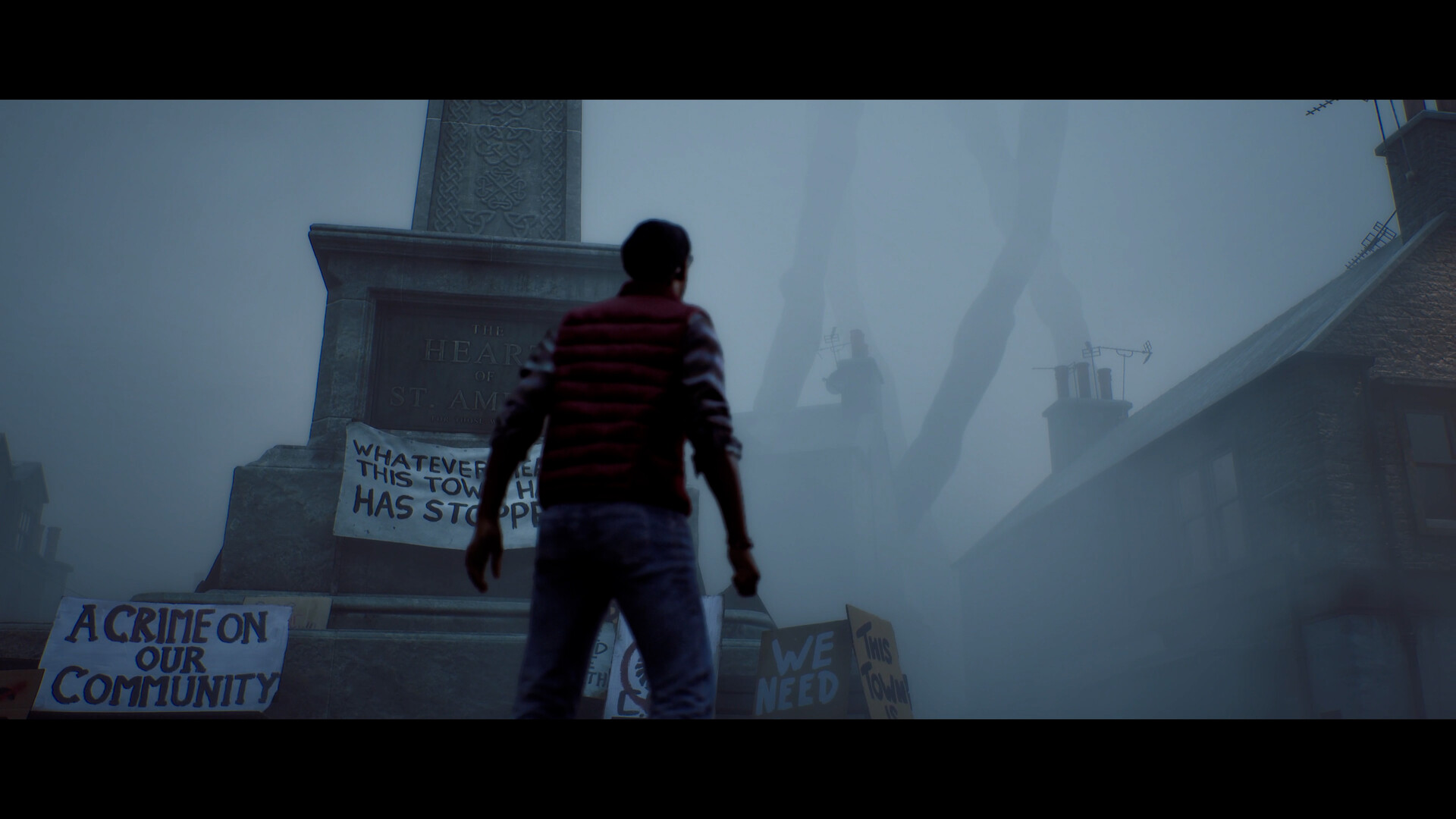
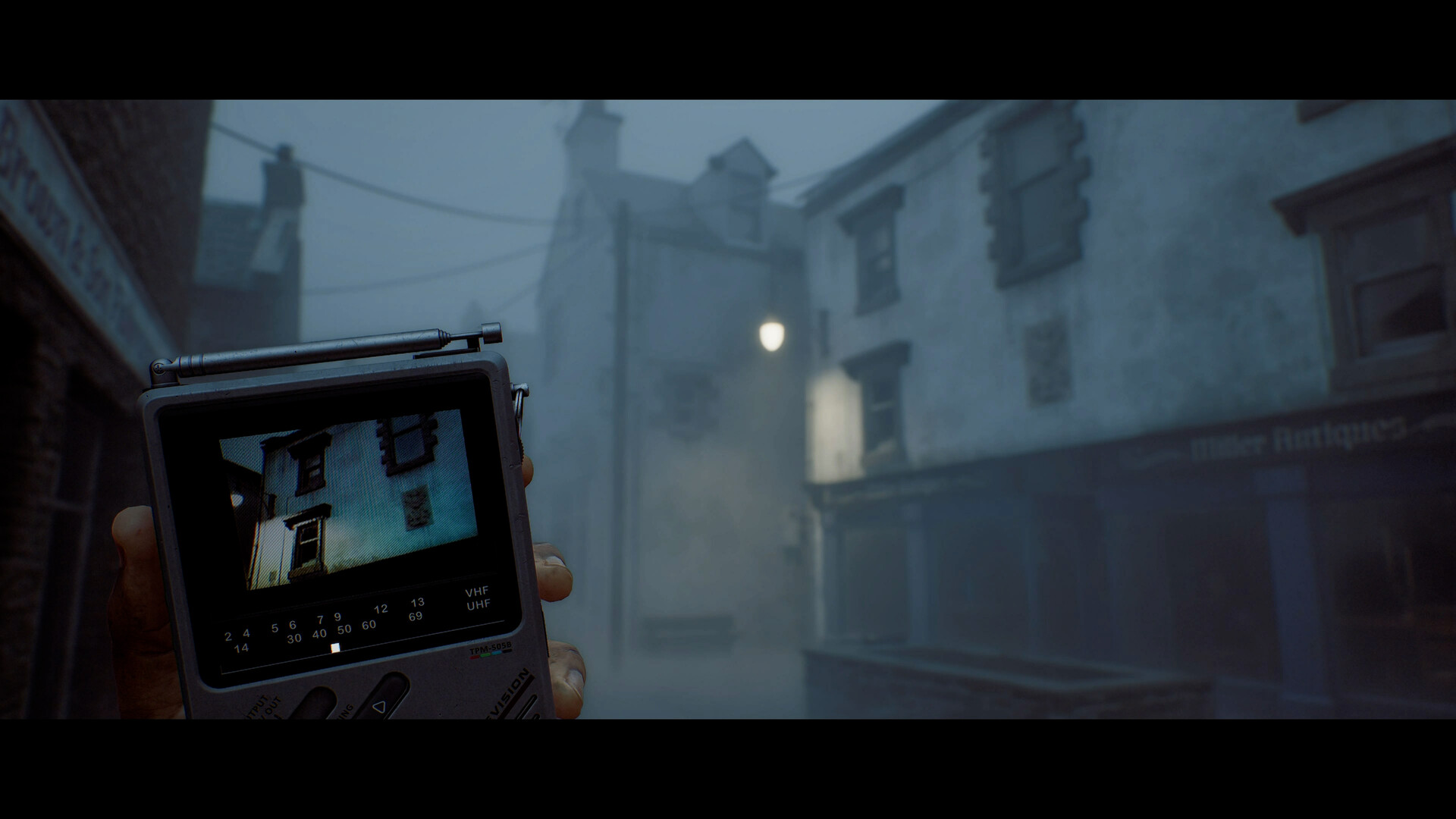
Simon Ordell returns to the fog-choked island town of St. Amelia in a self-contained story told entirely in first person, exploring, evading and fighting through a limited toolkit that includes the CRTV, a pocket television used to tune into unstable analog signals. Screen Burn Interactive developed the game, and Konami publishes it alongside Annapurna Interactive on Steam, the Epic Games Store and PS5 — there's no Xbox version at launch. The PC release requires Windows 11 x64 and DirectX 12, and Steam's own system requirements page is the most reliable place to check whether your rig is in spec before you install a 75 GB game and find out the hard way.
The rest of this guide sticks to settings and options that Konami, Steam or the game's own official channels have actually named. Silent Hill: Townfall's full graphics menu is still being mapped out by the community on launch day, so anything not confirmed here — like a dedicated ray-tracing toggle or a numeric field-of-view slider — gets flagged as unconfirmed rather than guessed at.
02Best Graphics Settings to Fix Stutter and Frame Drops
Start with the baseline Konami itself publishes. The official minimum spec is an AMD Ryzen 5 3600 or Intel Core i7-8700K, 16 GB of RAM and an Nvidia GeForce RTX 2060 Super or AMD Radeon RX 6600, which Konami says should hold 1080p at Low settings and 30 fps. The recommended tier steps up to a Ryzen 7 5700X or Core i7-9700K, 32 GB of RAM and an RTX 3080 or Radeon RX 7800 XT, targeting 4K at High settings and 30 fps — but only "using DLSS, FSR or TSR Balanced mode," per Konami's own additional notes on the Steam store page. That detail matters: even recommended-spec hardware is built around upscaling, not native rendering, so don't expect a clean 4K image without it.
| Tier | CPU | RAM | GPU | Target |
|---|---|---|---|---|
| Minimum | Ryzen 5 3600 / Core i7-8700K | 16 GB | RTX 2060 Super / RX 6600 | 1080p, Low, 30 fps |
| Recommended | Ryzen 7 5700X / Core i7-9700K | 32 GB | RTX 3080 / RX 7800 XT | 4K, High, 30 fps (upscaled) |
If you're seeing the stutter that's been dogging the Steam release since early access opened, the most reliable fix right now isn't a settings tweak at all — it's making sure your GPU driver is fully current before your first launch. Most of the traversal hitching reported on launch day tracks back to first-time shader compilation, which is heavier on outdated drivers. Beyond that, drop from Ultra or High to Medium on whichever single setting is hitting your GPU hardest (shadow quality and volumetric fog are the usual suspects in fog-heavy horror engines like this one) before you touch resolution scale, since Townfall's atmosphere depends heavily on how the fog renders.
03Upscaling: DLSS, FSR and TSR Explained
Konami's system requirements confirm all three major upscalers are supported: Nvidia DLSS, AMD FSR and Unreal Engine's own TSR. If your GPU supports DLSS, use it over FSR or TSR — it's generally the cleanest of the three at Balanced mode, which is the setting Konami itself references when describing recommended-spec 4K performance. On a mid-range card, Balanced mode is a reasonable starting point; only drop to Performance mode if you're still under your monitor's refresh rate after lowering one or two demanding settings. TSR is your fallback if you're on an older AMD or Intel GPU without dedicated upscaling hardware, though expect a softer image than DLSS or FSR at the same performance target.
None of Konami's public materials mention a specific frame-generation feature or an exposed sharpness slider for any of the three upscalers, so treat any third-party claims about those as unconfirmed until Screen Burn documents them directly.
04Controls, Controller Support and the CRTV
Silent Hill: Townfall ships with full controller support on PC, including specific DualSense and DualShock compatibility confirmed on its Steam store page — you don't need third-party software to get proper button prompts with a PlayStation pad. Keyboard and mouse is the default for a fresh install, and the CRTV — the game's analog-signal tuning device that replaces the old Silent Hill radio — is mapped to its own dedicated input on both control schemes, since you'll be raising and tuning it constantly while exploring.
Steam's listing doesn't publish a full keybind list, so if you want to remap anything beyond the defaults, check the in-game Controls menu directly after your first launch rather than assuming a specific key is bindable. What is confirmed is that the game supports switching between mouse-and-keyboard and controller input without a restart, which matters in a game built around slow, deliberate exploration through fog you can barely see through.

05Accessibility and Difficulty Options
Konami's Steam listing confirms several accessibility features worth turning on before you start: Camera Comfort (for players sensitive to camera shake and motion), Custom Volume Controls for separately balancing dialogue, effects and the CRTV's static against your ambient sound setup, Subtitle Options, and an Adjustable Difficulty setting that applies across the campaign. New to the fog? This advice for surviving St. Amelia's opening hour is worth bookmarking before you touch a single graphics slider, since it walks through the difficulty tiers in more detail than Konami's own store page does.
If you're playing primarily for the story and puzzles rather than the stealth-and-combat loop, dropping difficulty early costs you nothing — Townfall's multiple endings are shaped by narrative choices and exploration, not combat performance, so there's no mechanical downside to making the encounters easier while you learn the CRTV's tuning puzzles.
First 10 Minutes: PC Setup Checklist
- 1Install the latest driver from Nvidia or AMD before your first launch — most of the shader-compilation stutter reported since early access traces back to first-boot shader caching on outdated drivers.2 min
- 2Compare your CPU, RAM and GPU against the official minimum (1080p/Low/30fps) and recommended (4K/High/30fps via upscaling) tiers so you know which settings bracket to start in.2 min
- 3Use DLSS on Nvidia cards, FSR on AMD, or TSR as a fallback on older hardware — Konami's own notes reference Balanced mode as the baseline for recommended-spec 4K performance.1 min
- 4Both are confirmed accessibility features on the Steam listing — worth enabling before your first fog-heavy area if you're sensitive to camera shake.1 min
- 5Adjustable Difficulty is confirmed on Steam and applies campaign-wide; dropping it costs nothing story-wise since Townfall's endings are shaped by choices, not combat skill.1 min
06Konami's Performance Patch: What's Coming and When
Konami isn't staying quiet about the PC issues. The official Silent Hill account posted a direct notice on launch day confirming a patch is already in development specifically for the performance problems affecting the Steam and Epic Games Store versions — notably, PS5 isn't mentioned as needing the same fix, which lines up with player reports that the stutter is a PC-specific problem tied to shader compilation and traversal streaming rather than a universal engine issue.
SILENT HILL: Townfall Notice: Upcoming Update Plans We are currently working on an update patch to address performance-related issues affecting the Steam and Epic Games Store versions. We will announce the release date as soon as it is confirmed.
— Silent Hill Official (@SilentHill) on X
No release date has been confirmed for that patch yet, so treat today's settings as a starting point rather than a permanent workaround — expect some of this guide's advice around shader-stutter mitigation to become less necessary once Screen Burn ships the fix Konami is promising.
07Watch: The Official Launch Trailer
Konami's own launch trailer, posted to the official SILENT HILL YouTube channel three days before release, is the clearest official look at how the finished game actually presents itself — fog density, the CRTV's static-laced visuals and the first-person combat encounters all show up here in the form Screen Burn intended, which is a useful reference if you're trying to judge whether your current settings are rendering the game the way it's supposed to look.
Between the confirmed spec targets, the accessibility options Konami has documented, and a performance patch already promised, most of what's making Silent Hill: Townfall rough on PC today looks like launch-week teething rather than a design that stays broken. Get your driver current, pick an upscaler that matches your GPU, and adjust from there.
FAQ
Why is Silent Hill: Townfall stuttering on PC?
Konami's official Silent Hill account confirmed on launch day that the Steam and Epic Games Store versions have performance-related issues, and that a patch is already in development. Player reports point to shader-compilation stutter and frame drops during traversal; PS5 hasn't been flagged with the same problem.
What are the official minimum and recommended PC specs?
Minimum is a Ryzen 5 3600 or Core i7-8700K, 16 GB RAM and an RTX 2060 Super or RX 6600 for 1080p/Low/30fps. Recommended is a Ryzen 7 5700X or Core i7-9700K, 32 GB RAM and an RTX 3080 or RX 7800 XT for 4K/High/30fps using DLSS, FSR or TSR Balanced mode, per Konami's Steam listing.
Does Silent Hill: Townfall support DualSense and DualShock controllers on PC?
Yes — full controller support plus specific DualSense and DualShock compatibility is confirmed on the game's Steam store page.
Is ray tracing confirmed for the PC version?
Not officially. Konami's published system requirements and Steam listing don't name a ray-tracing toggle, so treat any claims about one as unconfirmed until Screen Burn documents it directly.
When is the PC performance patch coming?
Konami hasn't announced a release date. The official notice posted on launch day says only that the team is working on it and will announce a date once it's confirmed.
Official resources

Ana writes the step-by-step tutorials: settings, controls, configs and the systems games never explain properly. Every tutorial is tested on the version named at the top of the page, with the official patch notes linked so you can check what changed.