The Blood of Dawnwalker Update 1.1: Best Settings and Controls
The Blood of Dawnwalker Update 1.1 adds new settings and controls: a respec item, FrameGen options, deadzone sliders and subtitle fixes to check now.
Update 1.1 for The Blood of Dawnwalker went live on Steam on October 22, 2026, and it quietly reworks several systems the base game barely explained. Rebel Wolves and publisher Bandai Namco Entertainment packaged a new difficulty split, an ability respec item, overhauled subtitle options, FrameGen-specific settings, controller deadzone tuning, dual equipment presets and a merchant buyback feature into one patch, alongside more than 1,100 other fixes. None of it is flagged clearly in the pause menu, so here is exactly what changed, where to find it, and which settings are worth touching first on PC, PlayStation 5 and Xbox Series X|S.
01What Changed in Update 1.1
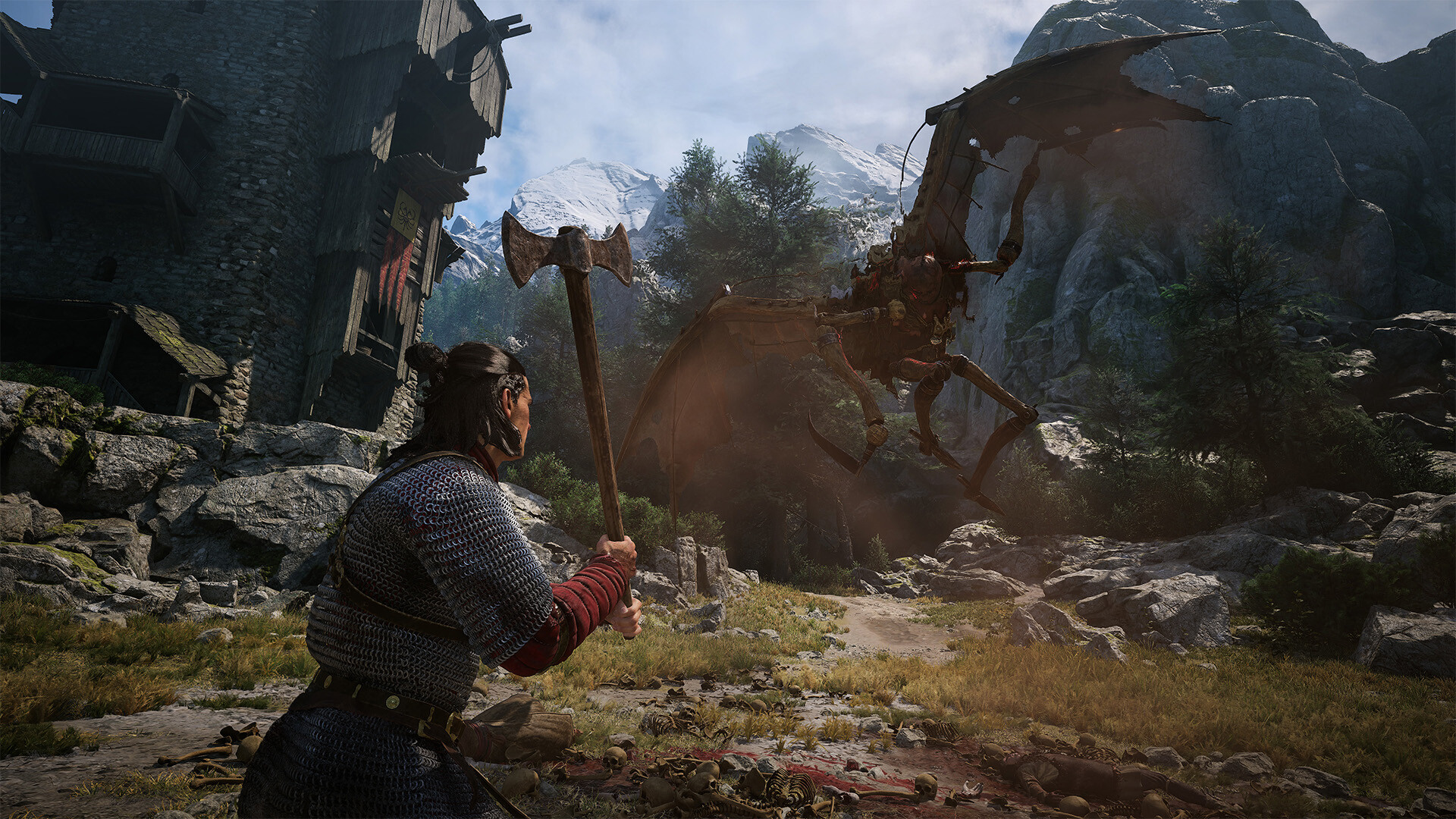
Rebel Wolves is the Warsaw studio founded in 2022 by former CD Projekt Red developers, including former Witcher 3 game director Konrad Tomaszkiewicz, and The Blood of Dawnwalker is its debut release. That pedigree matters here because Update 1.1 behaves like a studio patching the exact friction points players flagged after the September 2 launch, rather than a cosmetic refresh. The patch note highlights are split into a handful of new features and a much longer list of quality-of-life changes. The headline addition is the Draught of Mind Rebirth, a consumable that lets you forget every Swordmastery, Witchcraft and Vampirism ability you have learned and reuse the in-game time you spent learning them on a different build. Rebel Wolves also split the old "Story" difficulty into two options, added deeper subtitle controls, updated the FrameGen implementation with its own settings panel, added controller deadzone sliders, let you equip different gear in your day and night presets at the same time, and added a buyback option at merchants. Combat also got real tuning: targeting, lock-on, disengaging from enemies, and the responsiveness of Shadowstep and Planeshift when attaching to surfaces were all adjusted, and a long-standing controller bug that blocked selecting dialogue options or inventory items with a pad was fixed outright.
02Choosing Between Forgiving and Story Difficulty
Before 1.1, there was a single "Story" difficulty aimed at players who wanted the narrative without much of a fight. That option is now called Forgiving, and Rebel Wolves added a brand-new Story mode above it with additional combat assist baked in. If you already had the old Story difficulty selected, check the Gameplay tab in Options after updating — the game keeps your save's difficulty, but the label has moved and the new assisted mode sits as a separate entry, not a renamed one. If you picked up Dawnwalker for its 14th-century vampire-hunting story rather than its combat, the new Story setting is the one to try first; Forgiving is now the tier for players who still want some bite to their fights but less punishment than Normal. Neither official source gives exact numbers for how much the new combat assist reduces incoming damage or increases stagger windows, so treat the degree of assistance as unconfirmed until you've played a session on it yourself.
03Subtitle and Accessibility Settings
Subtitles got two concrete upgrades in 1.1: a font size slider and a toggle to turn on subtitles for every line of dialogue, not just the lines the base game decided were "important." Both live under the Accessibility section of Options. If you only tried subtitles at launch and found lines missing during ambient chatter or side conversations, it's worth switching the new "all dialogue" toggle on and re-checking — inconsistent subtitle coverage was one of the more common accessibility complaints Rebel Wolves addressed directly in this patch. The larger font size option is worth pairing with it if you're playing on a TV from a couch setup rather than at a PC desk, since the base game's default subtitle size was tuned for the latter.
04FrameGen and Performance Settings
The official patch notes describe an "update to the FrameGen technology, including dedicated settings," which means frame generation on PC no longer shares a single toggle with your upscaler of choice. After updating, open the Graphics tab and look for FrameGen as its own entry rather than a sub-option buried under DLSS or FSR. Rebel Wolves hasn't published exact frame-time numbers for the change, so treat specific performance gains as unconfirmed until you test your own rig, but the separation itself is confirmed directly in the 1.1 notes and is the setting most likely to affect frame pacing on mid-range GPUs running Vale Sangora's denser villages and forests. If you turned FrameGen off at launch because it was bundled with an upscaler setting you didn't want, it's worth revisiting now that the two are split apart — you may be able to keep your preferred upscaler while testing FrameGen independently to see how it behaves on your specific hardware.
05Controller Deadzone and Combat Responsiveness
Options now includes dedicated controller deadzone sliders, addressing a gap the base game shipped without on every platform. If you've felt stick drift or sluggish camera turning on PlayStation 5 or Xbox Series X|S, this is the first place to look — raise the deadzone slightly if your camera drifts at rest, or lower it if aiming feels unresponsive near the center of the stick. Rebel Wolves paired that addition with broader combat tuning: targeting and locking onto enemies, disengaging from a target, and the responsiveness of Shadowstep and Planeshift when latching onto surfaces were all adjusted in this patch. None of these are separate sliders you can toggle — they're baked into the combat system itself — but they directly change how targeting feels compared to the September launch build, so don't assume your old combat habits will carry over unchanged. The patch also fixed a bug that disabled right-stick zoom when switching from the crafting menu to the map on controller, which is worth knowing about if you'd written that off as a permanent quirk.
06Respecing Your Build with the Draught of Mind Rebirth
The Draught of Mind Rebirth is the biggest systemic change in Update 1.1. Using it forgets every ability you've learned across the Swordmastery, Witchcraft and Vampirism trees and refunds the in-game time you spent learning them, so you can commit to a different build without losing progress on your overall in-game clock. The official notes don't specify an acquisition method, cost or a reuse limit beyond describing it as an item, so treat its exact source and whether it's reusable as unconfirmed until you find it in-game. Functionally, though, it's the tool to reach for if you leaned hard into Vampirism early and want to pivot toward Swordmastery — or the reverse — once you've unlocked more of Coen's skill trees and have a clearer sense of which path suits your playstyle.
07Equipment Presets and the New Buyback Feature
Two smaller but genuinely useful additions round out the patch. Gear presets for day and night — previously separate loadouts you swapped between — can now be equipped simultaneously, so changing a piece of your day build no longer risks overwriting part of your night build. Merchants also now support a Buyback option, meaning an item you sell by mistake, or sell early and later want back, isn't gone the moment the transaction closes. Combined with a quieter fix that now hides equipped items when selling — so you can't accidentally list your current weapon in a merchant screen — these changes mostly solve the same frustration: losing gear to a menu mistake rather than a deliberate choice. Item upgrade costs were also rebalanced, especially at higher levels, so expect blacksmith and alchemist upgrades late-game to cost differently than they did at launch.
08How to Update Your Settings in 6 Steps
How to Update Your Settings in 6 Steps
- 1Open Options > Gameplay and confirm whether you're on Forgiving (the renamed old Story difficulty) or the new Story mode with extra combat assist.1 min
- 2Go to Options > Accessibility, enable subtitles for all dialogue, and raise the font size if you're playing from a couch.1 min
- 3In Options > Controls, adjust the new deadzone sliders if your camera drifts at rest or feels unresponsive near the stick's center.2 min
- 4Open the Graphics tab and enable FrameGen as its own setting, independent of whichever upscaler you're running.2 min
- 5Find and consume the item to forget your Swordmastery, Witchcraft and Vampirism abilities and commit to a different build.5 min
- 6In your Equipment presets, assign gear to day and night separately — doing so no longer overwrites the other preset.2 min
None of these changes require a fresh save — Update 1.1 applies to existing playthroughs the moment you patch, so there's no reason to wait before working through the list above. Start with the difficulty and subtitle checks since both take under a minute, then move on to deadzone tuning and FrameGen if you're on PC, and save the Draught of Mind Rebirth for once you've actually played enough post-patch to know whether your current build is the one you want to keep.
FAQ
What does the Draught of Mind Rebirth actually do?
It lets you forget every ability you've learned in the Swordmastery, Witchcraft and Vampirism trees and reuses the in-game time you spent learning them so you can build differently, per Rebel Wolves' official Update 1.1 patch notes.
What's the difference between the new Story and Forgiving difficulties?
Forgiving is the old Story difficulty under a new name. The new Story mode sits above it and adds extra combat assist on top, per the official patch notes.
Do I need to start a new save to get the Update 1.1 settings?
No. It's a patch to the existing game rather than a new campaign, so your current save keeps its progress and gains the new menus and options as soon as you update.
Is Update 1.1 out on PS5 and Xbox Series X|S yet?
Rebel Wolves confirmed Update 1.1 is live on Steam as of October 22, 2026. An exact simultaneous console release date wasn't stated in the official notes, so treat PS5 and Xbox Series X|S timing as unconfirmed until Sony or Microsoft's own patch pages list it.
Can I equip different gear for day and night at the same time now?
Yes. Update 1.1 lets items be equipped in both the day and night presets simultaneously, so changing one no longer costs you a piece of the other, per the official patch notes.
Official resources

Ana writes the step-by-step tutorials: settings, controls, configs and the systems games never explain properly. Every tutorial is tested on the version named at the top of the page, with the official patch notes linked so you can check what changed.